

Why you’re here
Qualify is where insights turn into business value and alignment, and value drivers are the foundation. Instead of bullet points in a deck, you capture the business motivations that justify investment and tie each one to the outcomes the customer expects. In a working session you can build a simple ROI view together with the customer and align business and technical stakeholders around a shared vision — outcomes connected to architecture and capabilities — without switching between Excel and slides. That saves 1–2 hours per opportunity on business case prep and leads to better decisions with a shared value view. Every other tab in Qualify hangs off the drivers you set here. Value is clarified early, not reconstructed later.What you’ll see
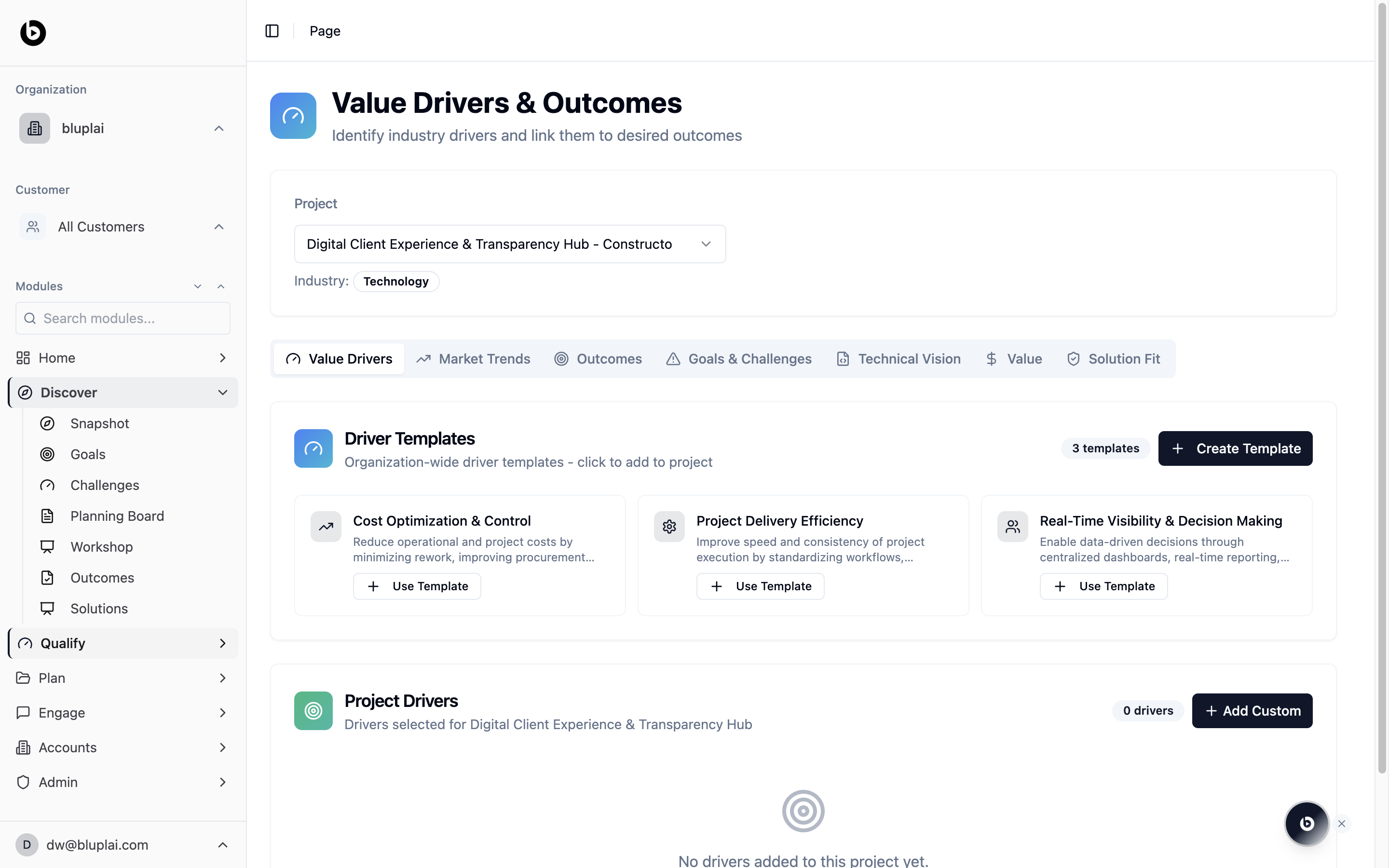
The page opens on the Value Drivers tab with the current project and industry selected at the top. You’ll find two sections:- Driver templates — organization-wide starting points (for example, “Cost Optimization & Control”, “Project Delivery Efficiency”, “Real-Time Visibility & Decision Making”). Click Use Template to add one to the project, or Create Template to build a reusable driver for your org.
- Project drivers — the shortlist of drivers you’ve selected for this project. On a new project this shows “No drivers added to this project yet.” Use Add Custom to add a one-off driver that isn’t in the template library.
When to use it
- Kicking off a new opportunity and framing the business case
- Before a discovery call, so you know which drivers to confirm with the customer
- Standardising how your team qualifies accounts — templates enforce a shared vocabulary
- When a driver changes mid-cycle and the plan needs to follow
Next
Market trends
Capture the industry forces shaping this deal.
Outcomes
Turn drivers into measurable results you’ll deliver.