

Why you’re here
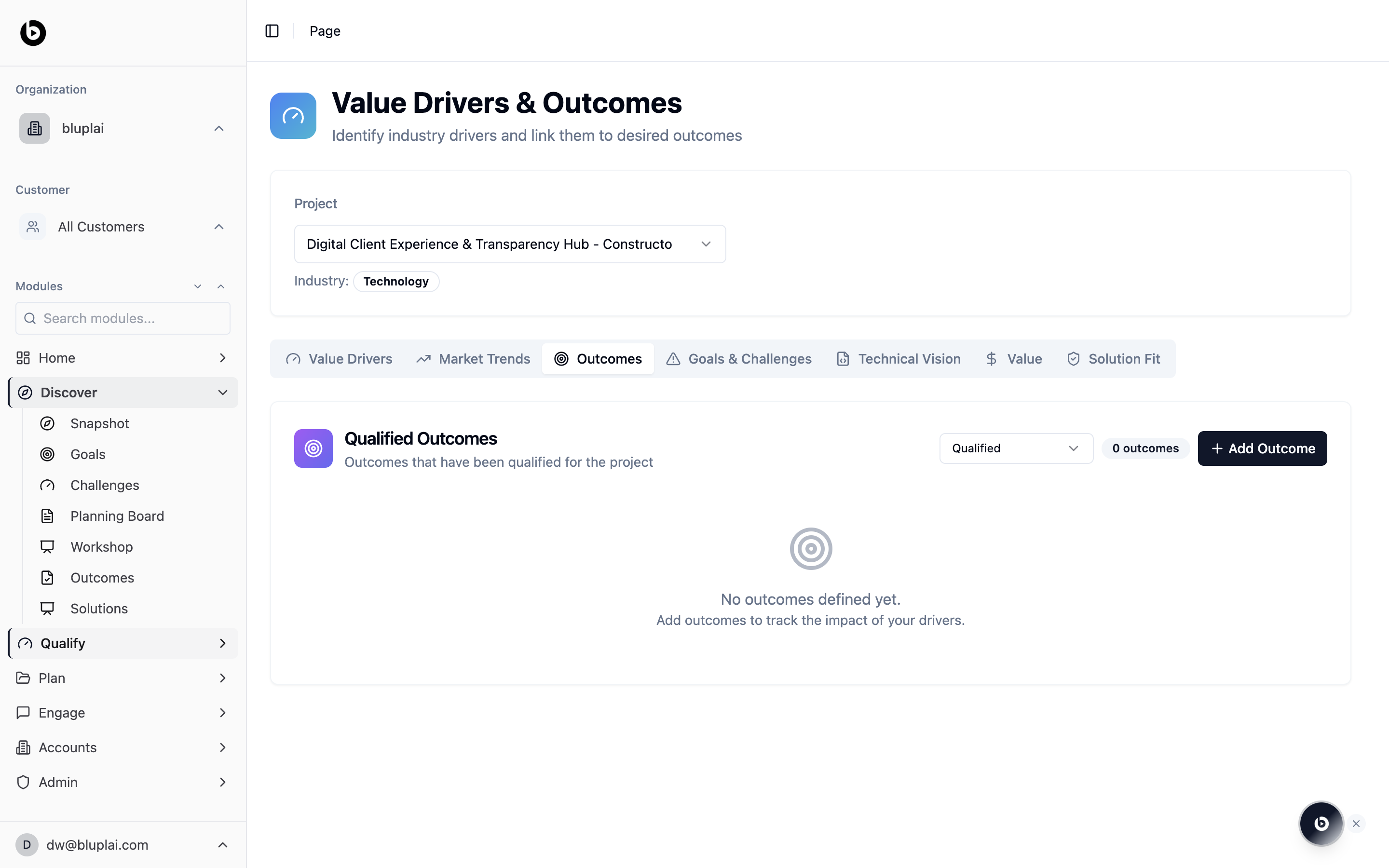
Outcomes are how drivers become real. Each outcome is a measurable result the customer expects, linked back to the driver that motivates it. This is the same Outcomes view you use in Discover, but filtered to the ones you’ve qualified — the shortlist you’re willing to stand behind in the business case.What you’ll see
The Outcomes tab shows a Qualified Outcomes card described as “Outcomes that have been qualified for the project”. Key controls:- A status filter in the top right, defaulted to Qualified, so only promoted outcomes appear here
- An outcome count and an Add Outcome button for capturing new ones
- An empty state — “No outcomes defined yet. Add outcomes to track the impact of your drivers.” — until you qualify an outcome
Adding a qualified outcome
Why you’d create one
Qualifying an outcome is what turns a rough Discover idea into something you’re willing to stand behind. A qualified outcome is measurable, owned, tied to a driver, and specific enough to model value against. Capturing it here moves it out of notes and into the shared record that feeds the ROI model and the success plan.How to create one
1
Open the dialog
From
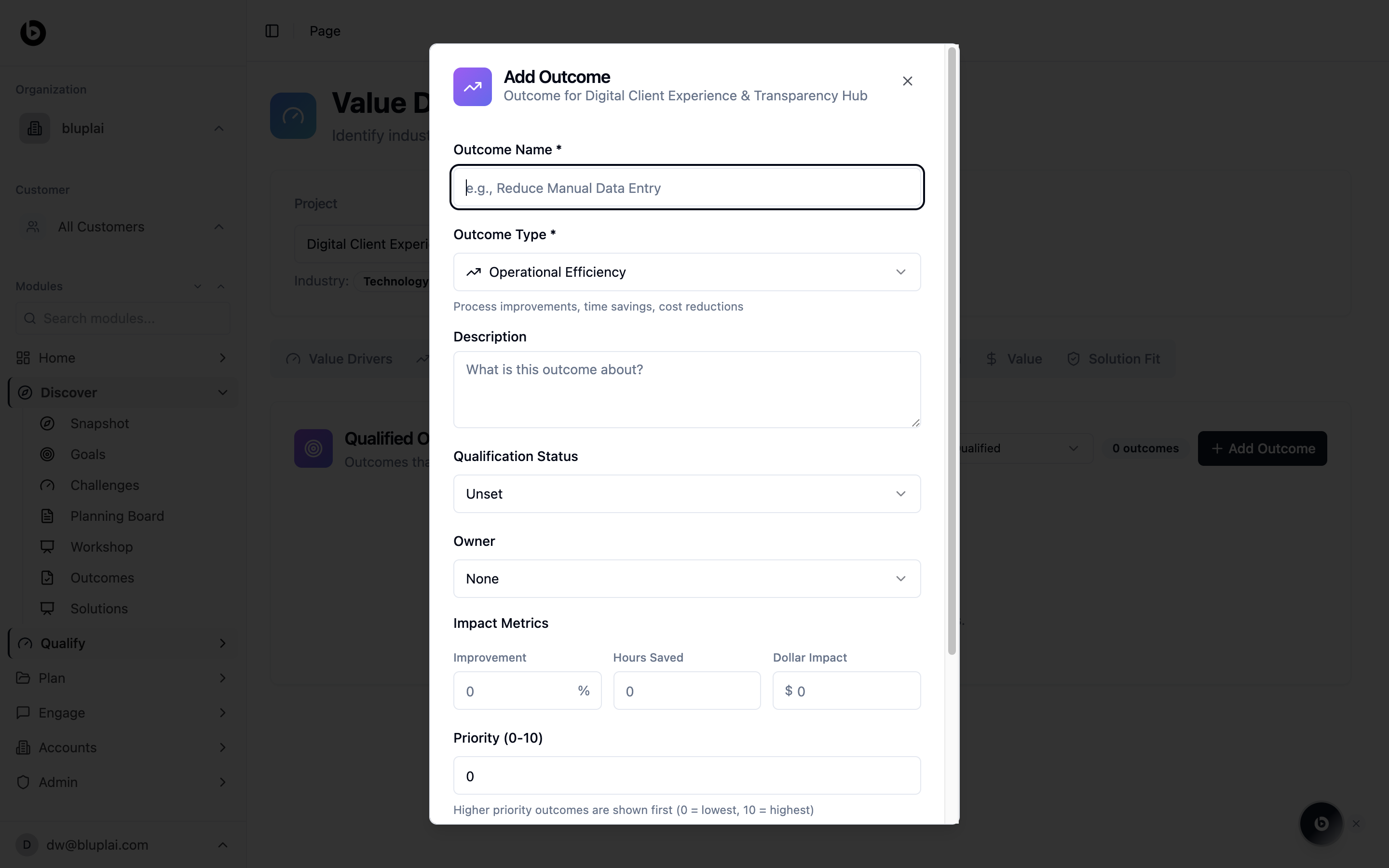
/drivers?tab=outcomes, click Add Outcome in the top right. You can also use this flow to promote a Discover Outcome by re-entering it with the qualification fields filled in. The Add Outcome dialog opens.2
Fill in the details
- Outcome Name — a short, specific name (for example, Reduce Manual Data Entry). Required.
- Outcome Type — choose the category that matches (the default Operational Efficiency covers process improvements, time savings, and cost reductions). Required.
- Description — explain what the outcome is about and what “done” looks like.
- Qualification Status — set to Unset by default; move it forward as the outcome is validated with the customer.
- Owner — pick the teammate who owns the outcome; leave as None if it’s still unassigned.
- Impact Metrics — capture the measurable impact across Improvement (percent), Hours Saved, and Dollar Impact. These feed the Value model later.
- Priority (0–10) — rank the outcome against others. Higher priority outcomes are shown first (
0= lowest,10= highest).
3
Save
Submit the dialog. The outcome appears in the Qualified Outcomes list once its status is set to Qualified; otherwise it stays visible when the filter is changed.
What happens after
Qualified outcomes are the shortlist that feeds the Value tab’s ROI model and drop straight into the Customer Success Plan in Plan. In Engage, they become the outcomes Customer Success tracks during adoption, so what you qualified here is what the customer is measured against later.When to use it
- Promoting a draft outcome from Discover once the customer has confirmed it
- Building the shortlist that feeds the Value analysis and ROI model
- Preparing for a qualification review where only committed outcomes belong
- Handing off to Customer Success — qualified outcomes become the success plan
Next
Value
Model the ROI behind the outcomes you’ve qualified.
Technical vision
Align the technical direction with these outcomes.