

Why you’re here
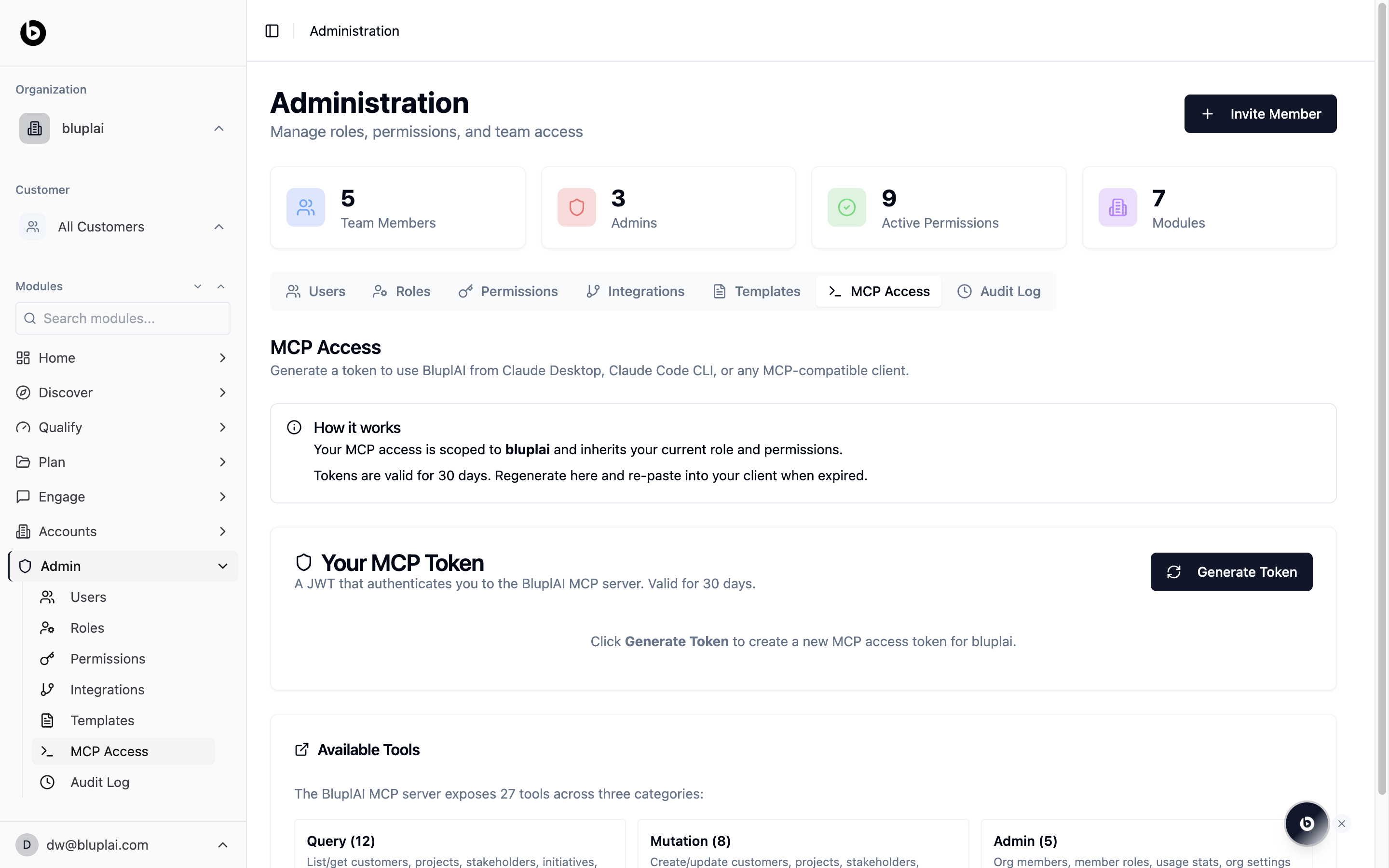
MCP — Model Context Protocol — is how AI tools and agents talk to Bluplai. This tab is where you issue a personal token that lets Claude Desktop, the Claude Code CLI, or any MCP-compatible client act inside your workspace with your role and permissions. It’s the same access control you already use, extended to your AI tools.What you’ll see
How it works explains the model in two lines: your MCP access is scoped to your organisation and inherits your current role and permissions. Tokens are valid for 30 days; regenerate and re-paste into your client when yours expires. Your MCP Token is where you hit Generate Token to mint a fresh JWT. Until you generate one, the panel sits empty with a prompt to create your first token. Available Tools lists the 27 tools the Bluplai MCP server exposes, grouped in three categories:- Query — list and get accounts, projects, stakeholders, initiatives, and more
- Mutation — create and update the same entities
- Admin — org members, member roles, usage stats, org settings
When to use it
- You’re connecting Claude Desktop or Claude Code to Bluplai for the first time
- You want an agent to pull account context before a call
- You want a script or workflow to write notes or updates back into the workspace
- Your 30-day token expired and you need a fresh one
Generating an MCP token
Why you’d generate one
An MCP token is how you hand an AI tool or agent — Claude Desktop, Claude Code, or any MCP-compatible client — the keys to read and write in your workspace on your behalf. It inherits your role and permissions exactly, so generating one doesn’t widen access; it just extends what you can already do into the tools you use alongside Bluplai.How to generate one
1
Open the tab
From
/admin/mcp-access, find the Your MCP Token panel.2
Generate the token
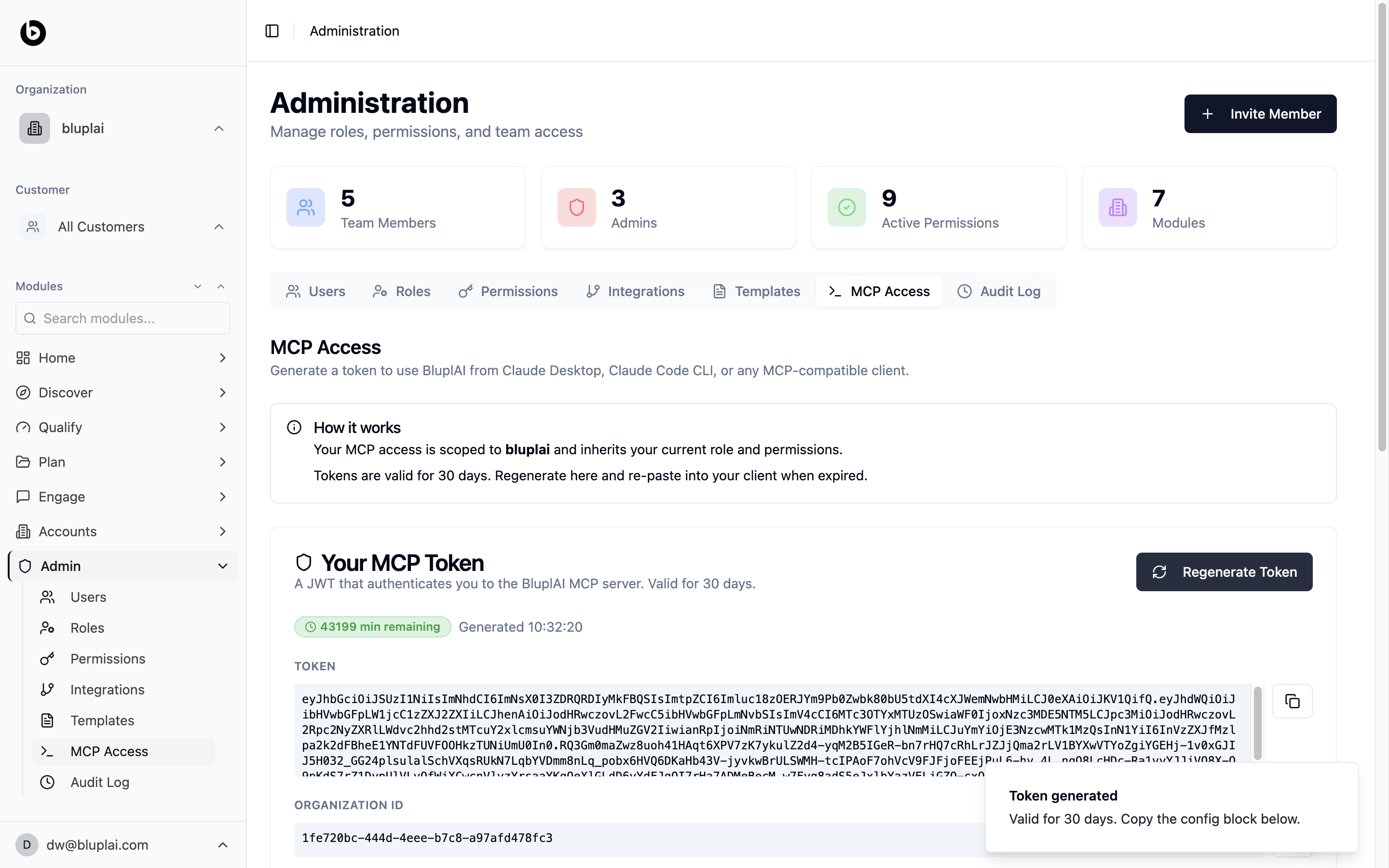
Click Generate Token (or Regenerate Token if one already exists). Bluplai mints a fresh JWT valid for 30 days, scoped to your organisation and your role.
3
Copy the token and org ID
Copy the TOKEN value and the ORGANIZATION ID from the panel. Paste both into your MCP client’s config block — they’re what the client uses to authenticate against the Bluplai MCP server.
What happens after
Your client can now call the 27 MCP tools as you, with your permissions. The panel shows time remaining on the token; when it expires, come back and regenerate. Every action taken over MCP lands in the audit log alongside UI actions.Next
Permissions
Tokens inherit permissions — make sure yours are set correctly before generating one.
Audit log
Every action taken over MCP lands in the audit log alongside UI actions.