

Why you’re here
Drivers don’t exist in a vacuum. Market trends capture the industry forces — regulation, competition, buyer behaviour, technology shifts — that give your drivers weight. Logging them in the workspace means everyone working the account reads from the same landscape, not a one-off slide that lives on someone’s laptop.What you’ll see
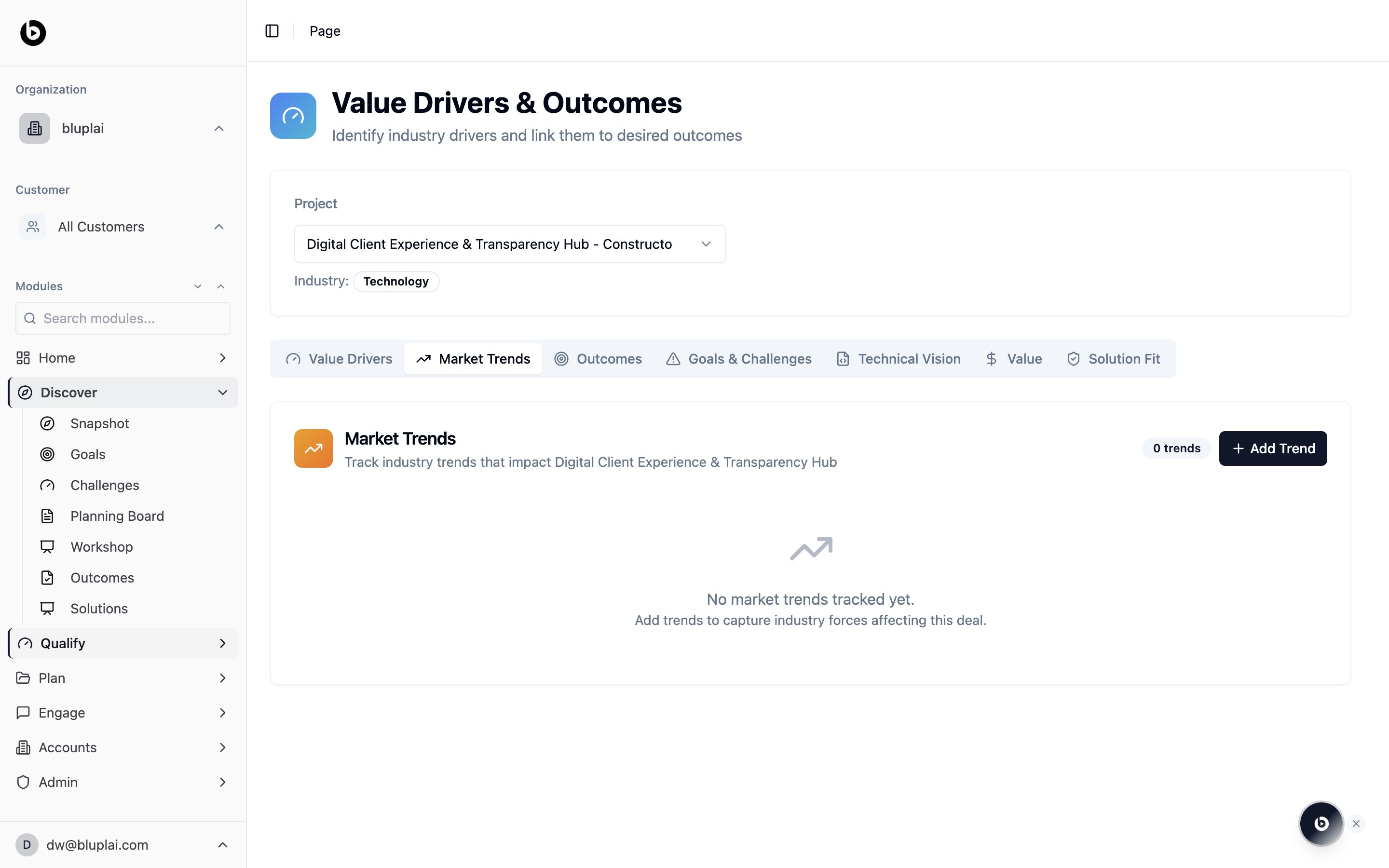
The Market Trends tab sits next to Value Drivers and shares the same project context. You’ll see:- A Market Trends card that tracks industry trends impacting the current project
- A trend count in the top right and an Add Trend button
- An empty state — “No market trends tracked yet. Add trends to capture industry forces affecting this deal.” — until you log your first one
Adding a market trend
Why you’d create one
Market trends justify urgency. Logging the competitive pressure, regulatory shift, or technology wave behind a driver turns “the customer should care” into a specific force you can point to. Trends anchor the narrative you’ll carry into Value and the executive conversation, and they give the rest of the team the why now without having to reconstruct it.How to create one
1
Open the dialog
From
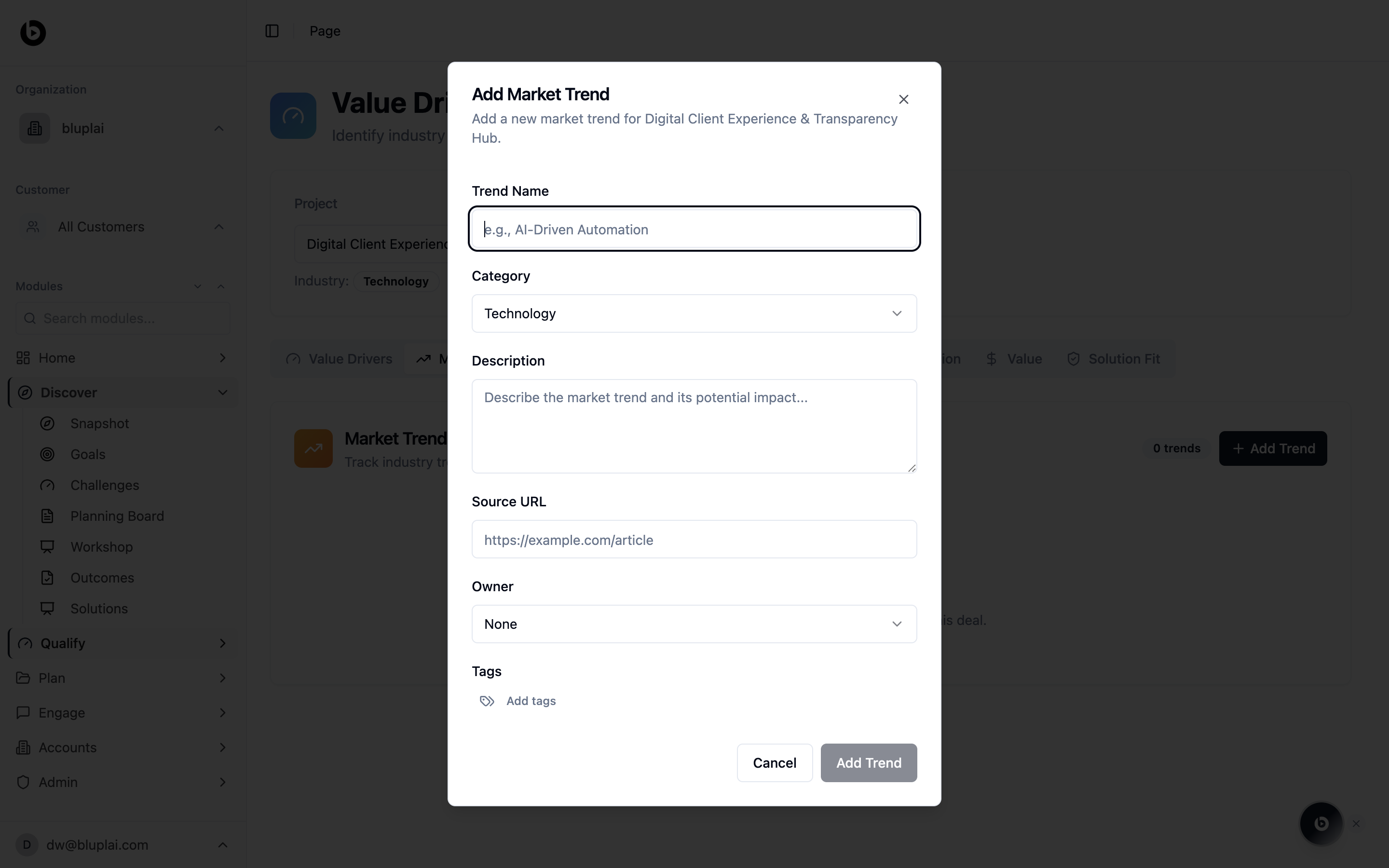
/drivers?tab=market-trends, click Add Trend in the top right of the Market Trends card. The Add Market Trend dialog opens.2
Fill in the details
- Trend Name — a short name for the trend (for example, AI-Driven Automation). Required.
- Category — choose the category the trend belongs to (Technology is the default).
- Description — describe the trend and the impact it’s likely to have on the customer.
- Source URL — paste a link to an article, report, or briefing that backs the trend up.
- Owner — pick the teammate who owns monitoring this trend. Leave as None if nobody owns it yet.
- Tags — click Add tags to label the trend for search and filtering.
3
Save
Click Add Trend. The trend appears in the Market Trends list with the count incremented in the top right.
What happens after
Trends sit alongside Value Drivers in the same project context, reinforcing the drivers they relate to. In Plan they colour the urgency framing on the Customer Success Plan, and in Engage they give account teams a ready-made reason to re-open the conversation when the market moves.When to use it
- After a discovery call where the customer named external pressure (new regulation, a competitor move, a shift in their buyers)
- Before a QBR or executive review, to frame why the timing matters
- When a change in the market reshapes the priority of a driver
- As a pre-read for colleagues joining the account mid-cycle
Next
Value drivers
Anchor trends to the drivers they reinforce.
Outcomes
Translate drivers and trends into qualified outcomes.