

Why you’re here
Value is where qualified drivers and outcomes turn into a business case. This tab replaces the usual spreadsheet-plus-slide workflow with a single model the whole team — and the customer — can read. Return on investment, benefits, impacts, and the assumptions behind them are all structured side by side.What you’ll see
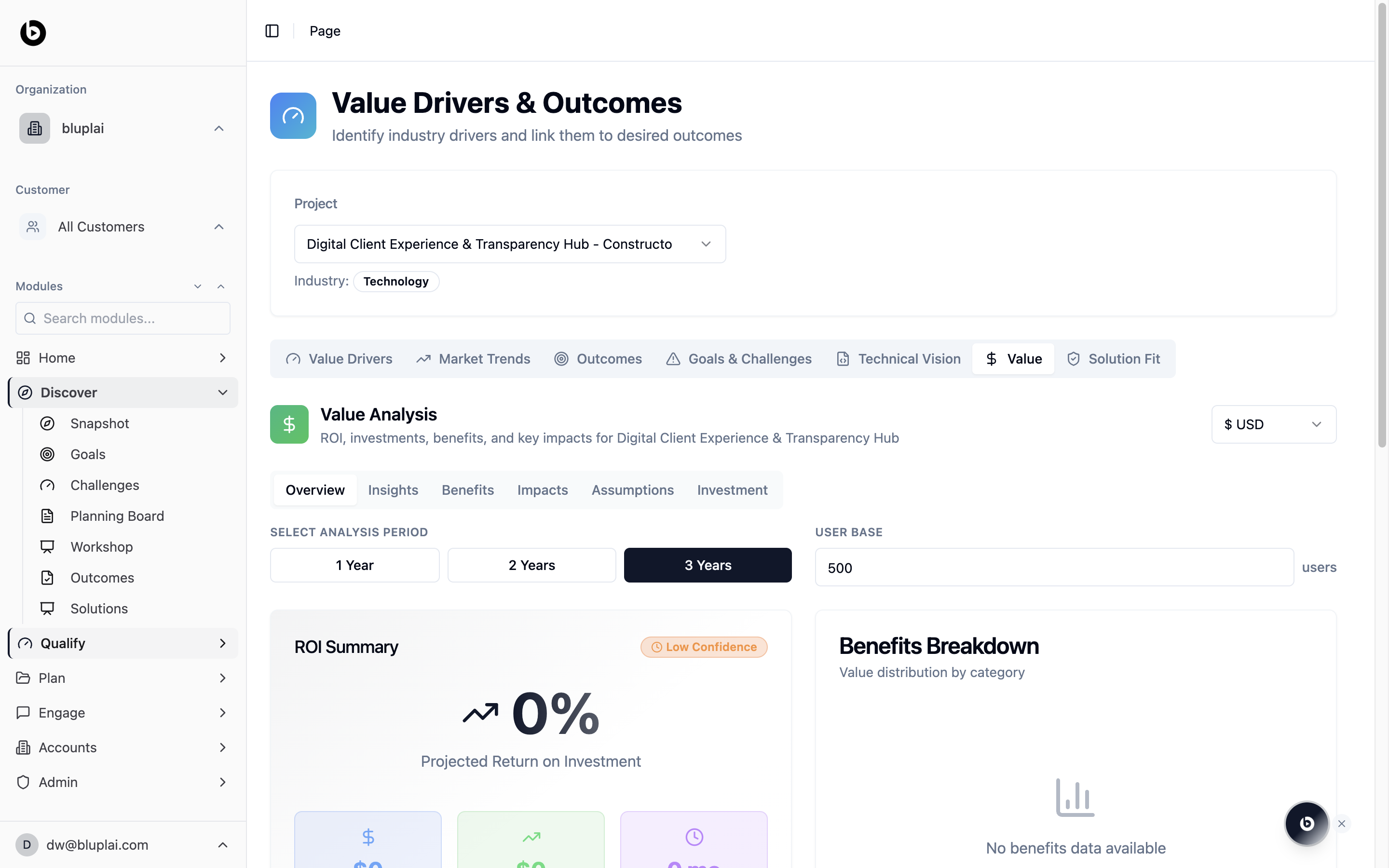
The Value tab opens on a Value Analysis panel described as “ROI, investments, benefits, and key impacts” for the current project, with a currency selector in the top right (for example, USD). Inside it, a row of sub-tabs lets you move through the model without leaving the page:- Overview — ROI summary and benefits breakdown (the default view)
- Insights — narrative takeaways on the model
- Benefits — the benefit line items
- Impacts — qualitative and strategic impacts
- Assumptions — the numbers behind the model
- Investment — the cost side of the case (see Investments)
- Select analysis period — 1 Year / 2 Years / 3 Years toggle (3 Years by default)
- User base — the population the model runs against (for example, 500 users)
- ROI Summary — headline return on investment, flagged as Low Confidence and showing 0% projected return until you add benefits and investment data
- Benefits Breakdown — value distribution by category, empty until benefits are added (“No benefits data available”)
When to use it
- Building the first pass of a business case after outcomes are qualified
- Pressure-testing assumptions before an executive review
- Showing the customer exactly how the number was built — not just the number itself
- Tightening confidence as real data replaces placeholders
Next
Investments
Capture the cost side of the model.
Outcomes
Review the qualified outcomes driving the value model.