

Why you’re here
The Solution Fit tab on the Value Drivers & Outcomes page is where you assess how well a proposed solution actually fits the customer. During Discover, this is where recommendations, capabilities, and risks get written down and scored — so by the time you hit Qualify, there’s a documented fit assessment instead of a gut feeling. It turns “I think this is a match” into something both sides can look at together.What you’ll see
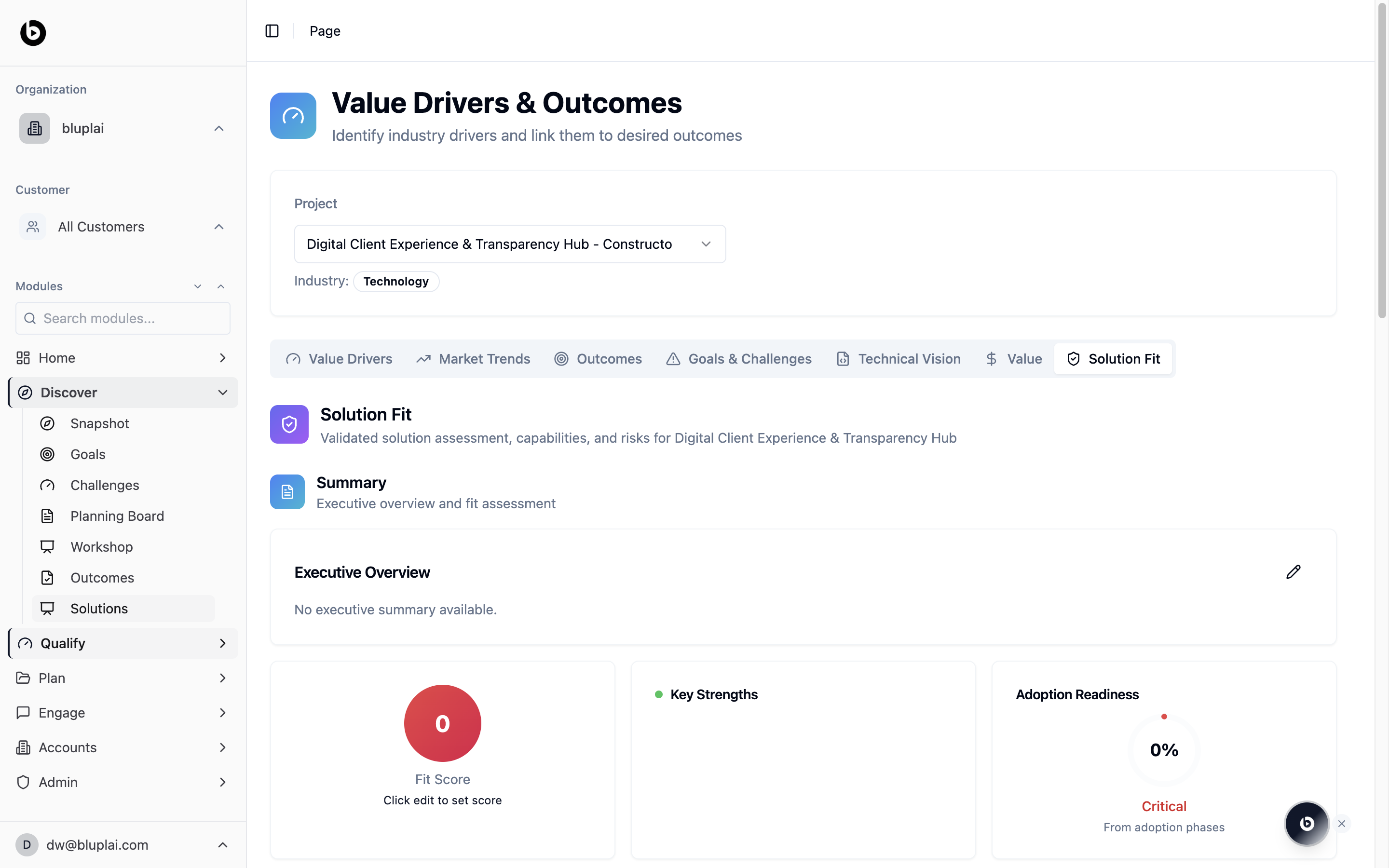
The page header reads Value Drivers & Outcomes — Identify industry drivers and link them to desired outcomes. A project selector sits below it with an Industry badge. The tab bar spans the page: Value Drivers, Market Trends, Outcomes, Goals & Challenges, Technical Vision, Value, and Solution Fit (active here). The Solution Fit panel is subtitled “Validated solution assessment, capabilities, and risks for <project name>.” Below that sits the Summary block with an Executive Overview card — empty by default, with the text “No executive summary available” and a pencil edit icon. Three scoring tiles follow:- Fit Score — a large circular gauge (0 by default), with the helper text “Click edit to set score.”
- Key Strengths — a list area for capability highlights.
- Adoption Readiness — a percentage gauge (0% by default) with a severity label (Critical in the empty state) and the footnote “From adoption phases.”
When to use it
- Drafting the first-pass fit assessment after a discovery call so the team has a shared view.
- Updating the fit score as new information comes in from workshops or technical deep-dives.
- Reviewing the solution fit with the customer before moving into Qualify.
- Flagging adoption readiness concerns early so they become a planned workstream, not a late-stage surprise.
Next
Outcomes
Check which outcomes the proposed solution should deliver.
Challenges
Revisit the challenges the solution needs to resolve.