

Why you’re here
The cross-account view of every active engagement. Open this for Monday stand-ups, resource planning, or to see what’s in flight across the team without hopping from account to account.What it is
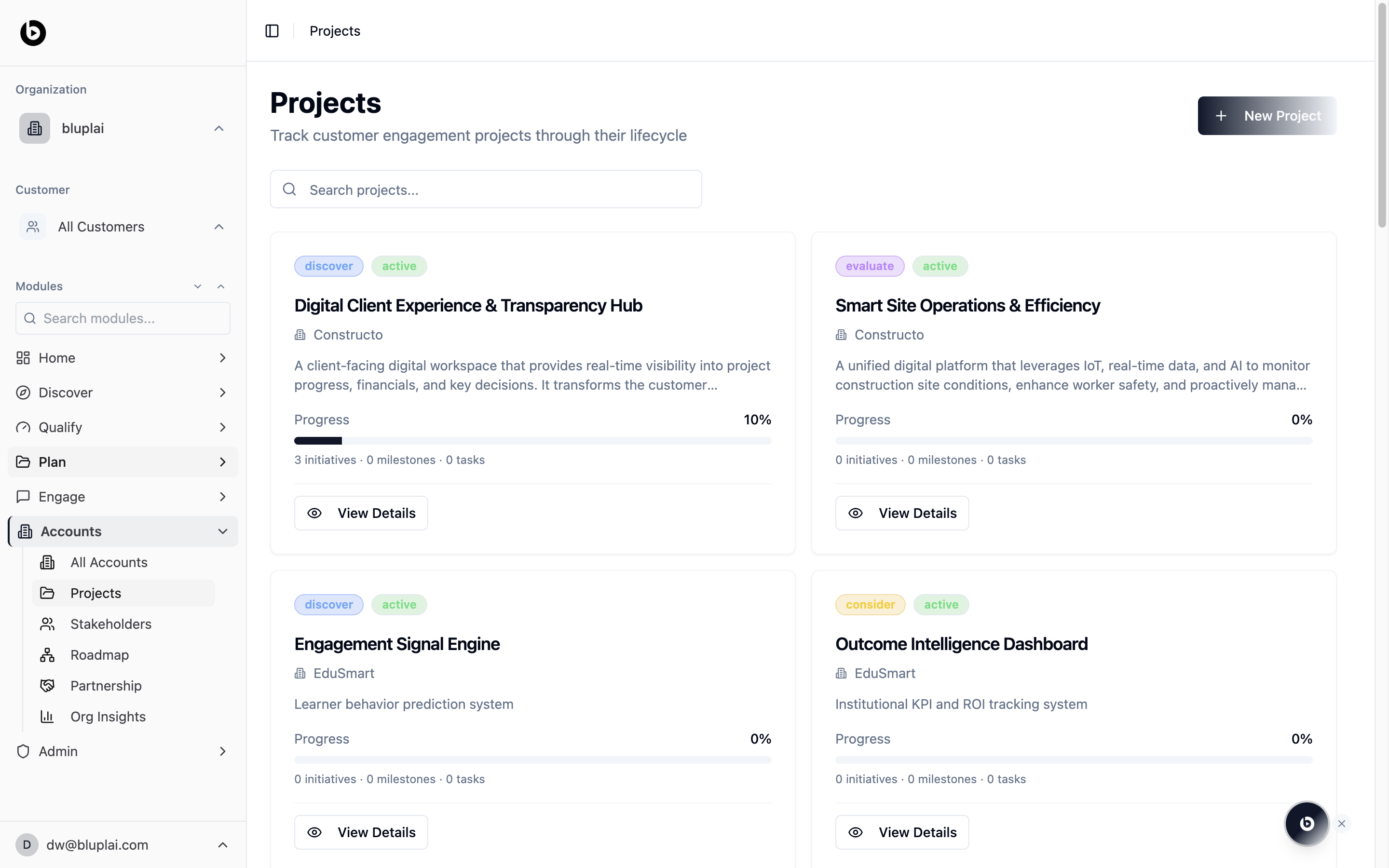
Projects lists every account engagement across your portfolio in a single grid. Each card names the project, links it to the parent account, gives a short description, and surfaces how far along it is. Use this page as the operating view for in-flight implementations and transformation programs.When to use it
- Pull up the full engagement backlog during an internal standup or pipeline review.
- Find a project fast by typing into the search box rather than navigating through each account.
- Spot stalled work by scanning progress bars that are still at 0%.
- Start a new engagement with the New Project button when a statement of work is signed.
- Click View Details on any card to open the project workspace with its initiatives, milestones, and tasks.
What you’ll see
- A header titled Projects with the subtitle “Track account engagement projects through their lifecycle” and a New Project button on the right.
- A search input labelled “Search projects…” running the full width of the content area.
- Cards with two pill tags at the top: a lifecycle stage (discover, evaluate, consider) and a status (active).
- A project title, the parent account name, and a one-line description of the engagement.
- A Progress bar with a percentage, plus a counter line showing initiatives, milestones, and tasks for that project.
- A View Details button at the bottom of each card to open the full project view.
Creating a project
Why you’d create one
A project is a specific engagement running inside an account — a delivery, a transformation program, an implementation. Each project gets its own Customer Success Plan, Digital Assessment, and lifecycle stage, so creating one sets up the workspace where initiatives, milestones, and tasks are tracked.How to create one
1
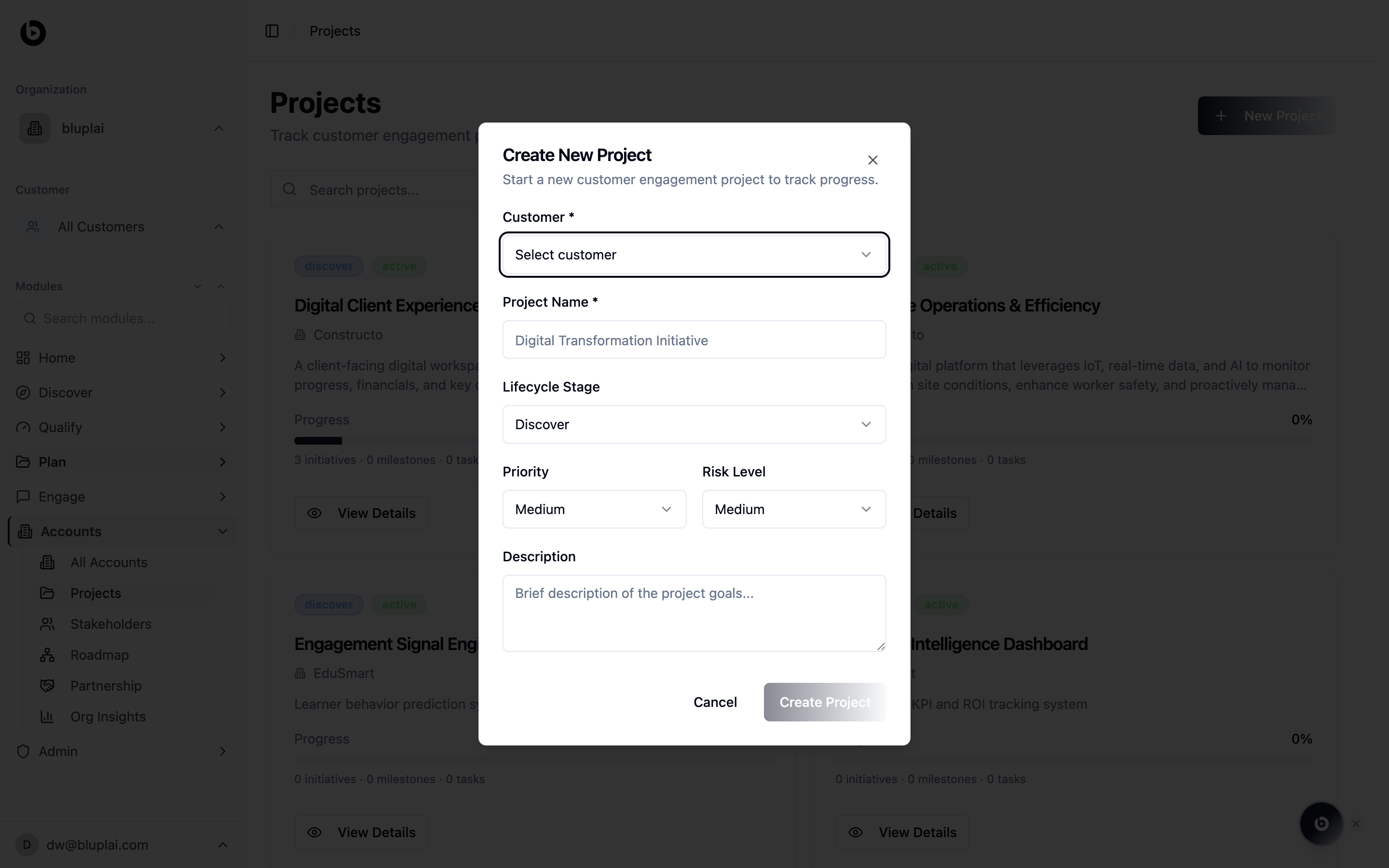
Open the dialog
From
/accounts/projects, click New Project in the top right.2
Fill in the details
- Account (required) — pick the parent account the project belongs to.
- Project Name (required) — a short, recognisable name for the engagement.
- Lifecycle Stage — start the project in the right stage (Discover, Consider, Evaluate, Growth).
- Priority — Low, Medium, or High; used for sorting and filtering.
- Risk Level — Low, Medium, or High; surfaces on the card and in reports.
- Description — a one-line summary of what the project is set up to deliver.
3
Save
Click Create Project. The new project appears as a card in the grid.
What happens after
The project becomes the home for its initiatives, milestones, tasks, and its own Customer Success Plan and Digital Assessment. Progress on the card updates as those children are completed.Next
All accounts
Jump back to the account portfolio these projects belong to.
Stakeholders
See the people sponsoring and delivering these projects.