

Why you’re here
Every team ends up with a few frameworks they rely on — a discovery script, a stakeholder map, a QBR structure, an onboarding checklist. Templates is where those live so they’re one click away for everyone, instead of buried in someone’s docs.What you’ll see
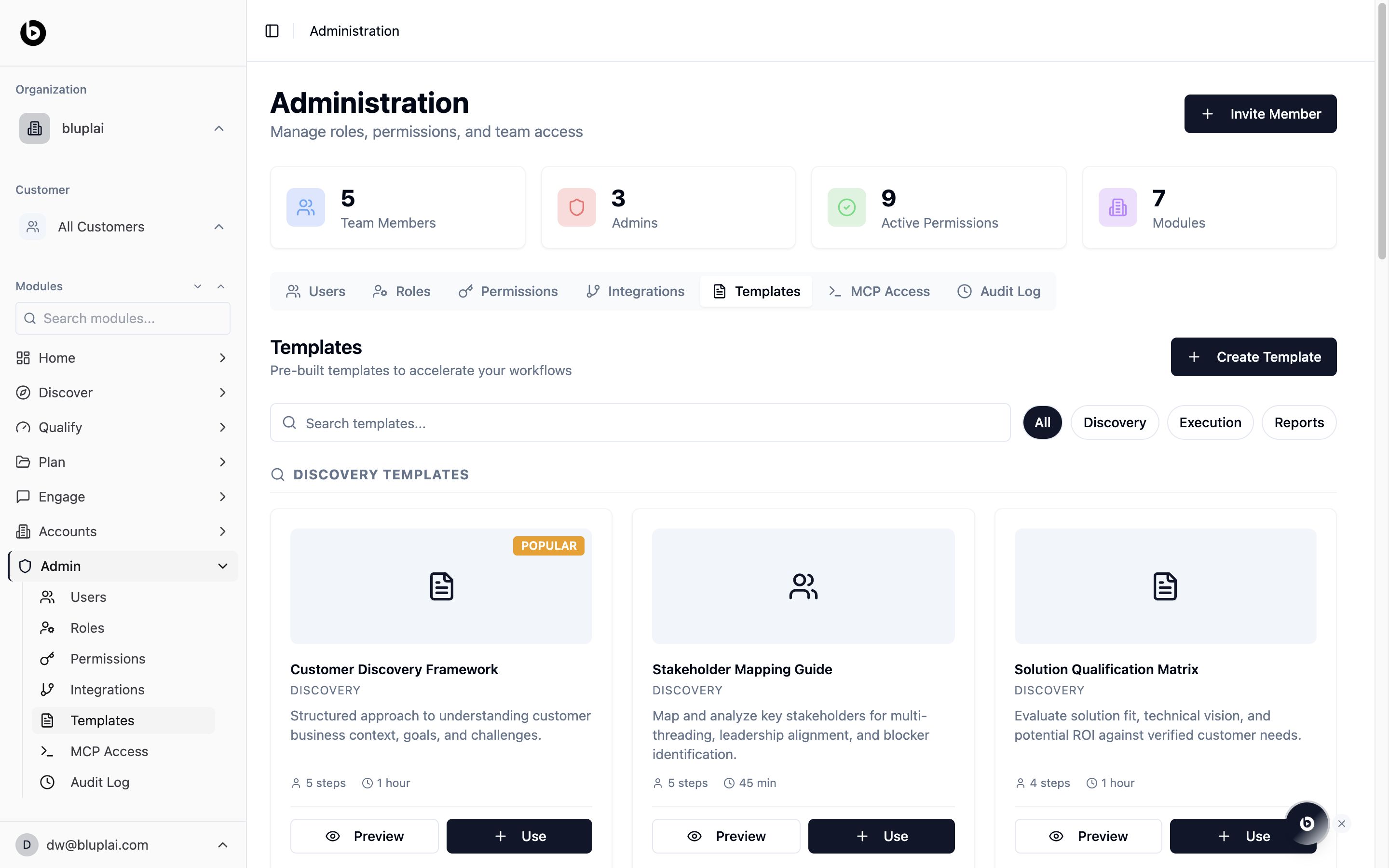
A library of template cards grouped by category. Each card shows a title, category (Discovery, Execution, Reports), a short description, and a footer with step count and estimated duration. Popular templates carry a badge. Filter the library with the category buttons on the right — All, Discovery, Execution, Reports — or search by name. Every card has two actions:- Preview — open the template to see the steps before you apply it
- Use — apply the template into your workspace
Templates today are pre-built and seeded by Bluplai. The Create Template button appears in the UI but isn’t wired up yet — you can Preview and Use existing templates, and authoring your own will arrive in a later release.
When to use it
- You’re running a discovery call and want the same structure your whole team uses
- You’re preparing a QBR and want the report scaffolding already filled in
- A new CSM needs an onboarding playbook on day one
- You’re evaluating a deal and want a pre-built qualification matrix
Using a template
1
Find the template
Filter by category or search by name.
2
Preview
Click Preview on the card to see the steps, structure, and what it will produce before you commit.
3
Use
Click Use to apply the template. It scaffolds the associated structure into the relevant module (for example, a discovery template sets up Discover sections; a reporting template seeds a deliverable).
Next
Users
Make sure the right people can apply templates across modules.
Audit log
Track when templates are applied across the workspace.