

Why you’re here
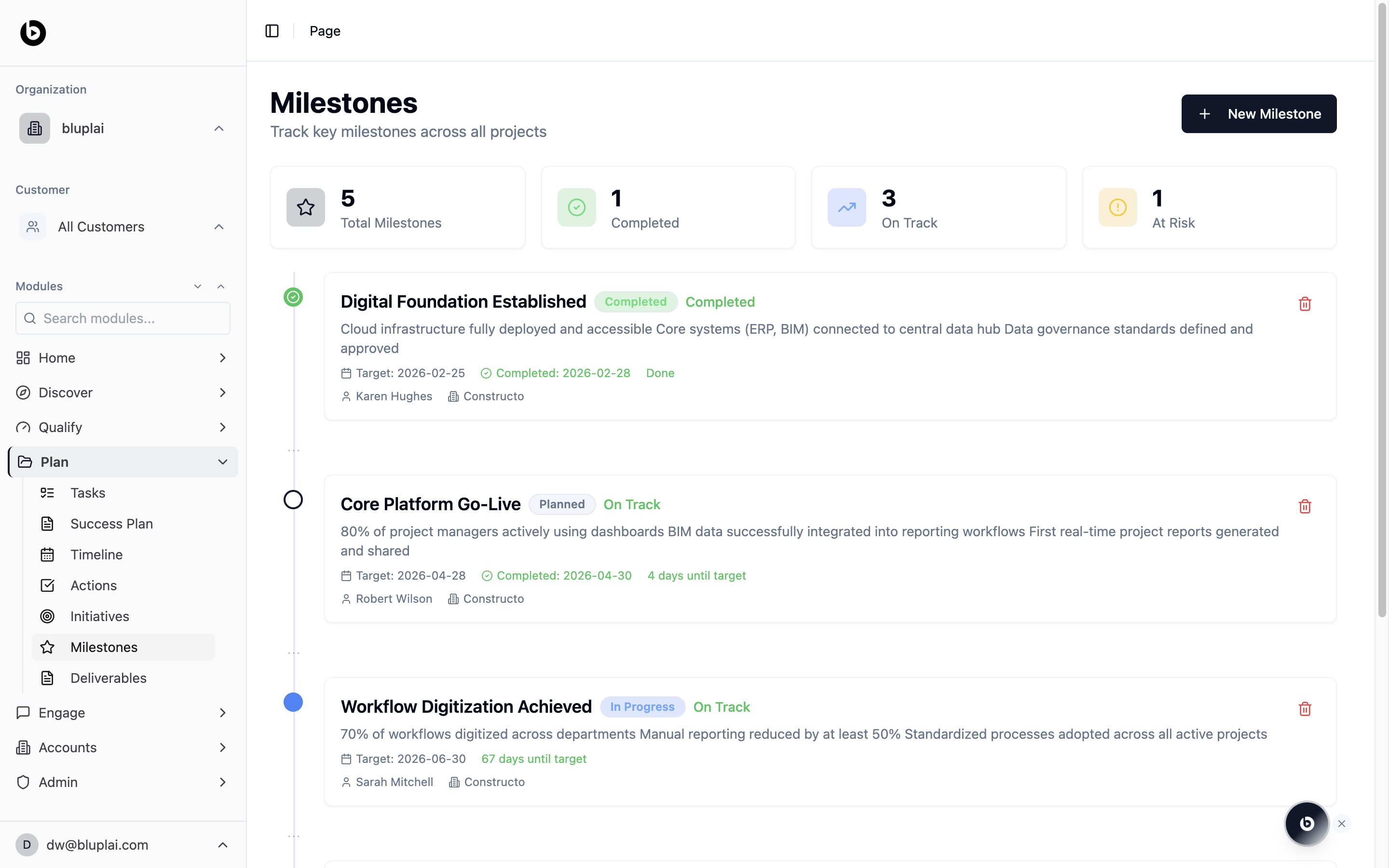
Checkpoints across the engagement that matter to the customer. Status-flagged (Completed, On Track, At Risk) so the ones that need attention surface themselves. Open this before steering committees or renewal conversations — it’s what a sponsor actually asks about.What it is
Milestones is a top-level page that lists every key checkpoint across all projects. Each milestone has a status (Planned, In Progress, Completed), a health indicator (for example, On Track, At Risk), a target date, an owner, and an account. Use this as the cross-project heartbeat of delivery.When to use it
- Review which checkpoints are coming up in the next few weeks.
- Spot at-risk milestones before they slip.
- Confirm a milestone’s target date and owner before a customer update.
- Add a new milestone when a fresh deliverable is committed.
What you’ll see
- Four counters at the top: Total Milestones, Completed, On Track, and At Risk.
- A New Milestone button in the top right.
- A stacked list of milestone cards. Each card shows a status dot, title, status pill, health pill, a short description of what’s done or committed, the target date, a completed date if applicable, days until target (or days since completion), the owner, and the account.
Creating a milestone
Why you’d create one
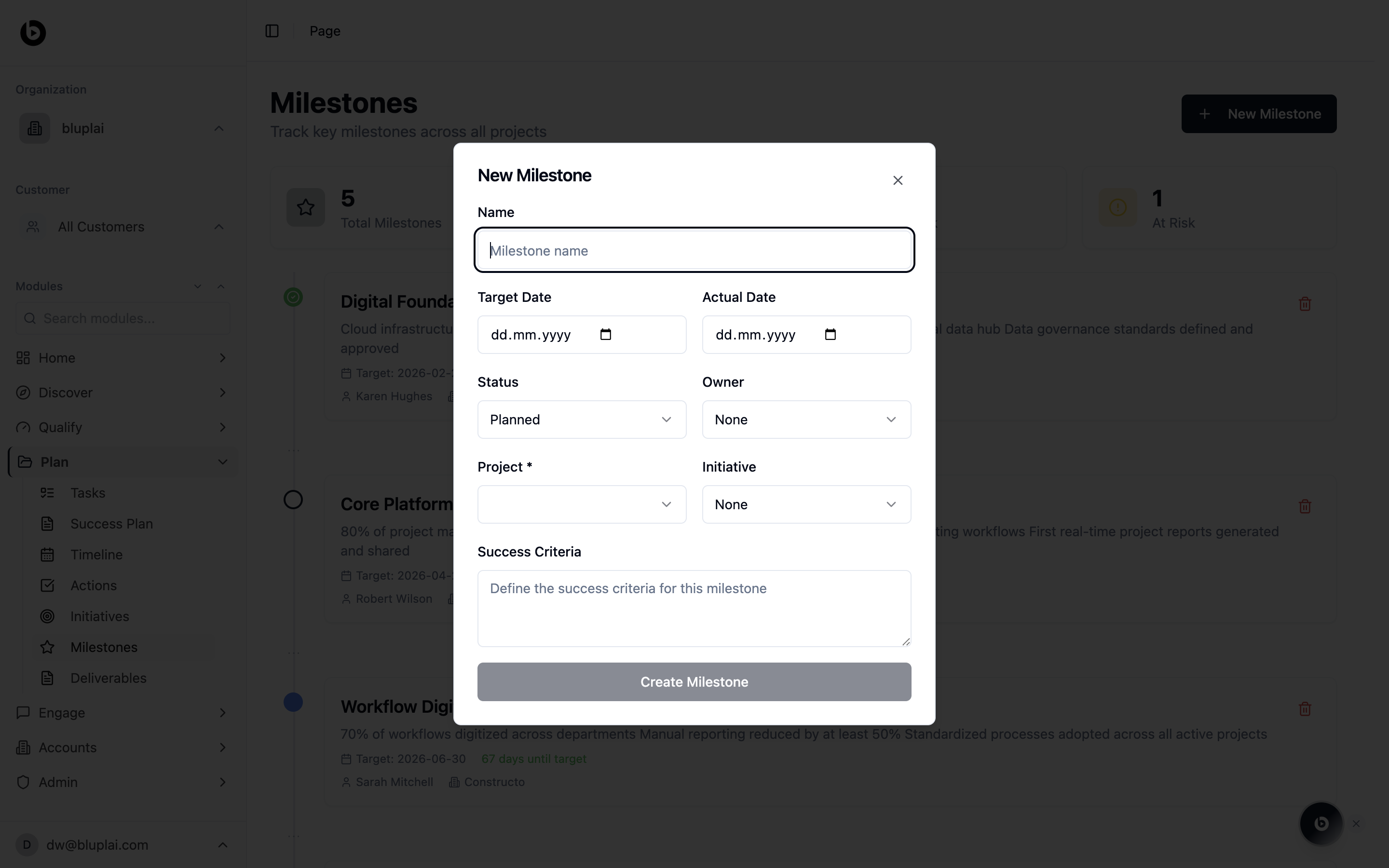
Milestones are the customer-visible checkpoints — “X was delivered”, “Y went live” — that a sponsor actually asks about. Creating one in Plan pins that commitment to a project and initiative so the work feeding it, and the date it’s due, have one place of truth. It’s what surfaces in steering committees and renewal conversations.How to create one
1
Open the dialog
From
/milestones, click + New Milestone in the top right.2
Fill in the details
- Name (required) — the checkpoint, phrased the way the customer would recognize it.
- Target Date — the date the milestone is committed to land.
- Actual Date — the date it actually completed. Leave blank until the milestone is hit.
- Status — Planned, In Progress, Completed. Defaults to Planned.
- Owner — person accountable for the milestone. Defaults to None.
- Project (required) — the project this milestone belongs to.
- Initiative — optional link to the initiative driving the milestone.
- Success Criteria — what has to be true to call this milestone done.
3
Save
Click Create Milestone. The new milestone appears in the Milestones list with its status dot, health pill, and countdown.
What happens after
The milestone shows up on the Milestones page and contributes to the Total, Completed, On Track, and At Risk counters. If linked to an initiative, it also shows up in that initiative’s timeline.Next
Deliverables
Ship the documents and outputs these milestones depend on.
Success Plan
Open the project plan that owns these checkpoints.