

Why you’re here
These are the people you’re working with inside each account — the person directory for the entire portfolio. Open this before a call, before a QBR, or when you’re trying to figure out who’ll unblock a decision. Context stays attached to the people, not the inbox, so whoever picks up the account next already knows who matters.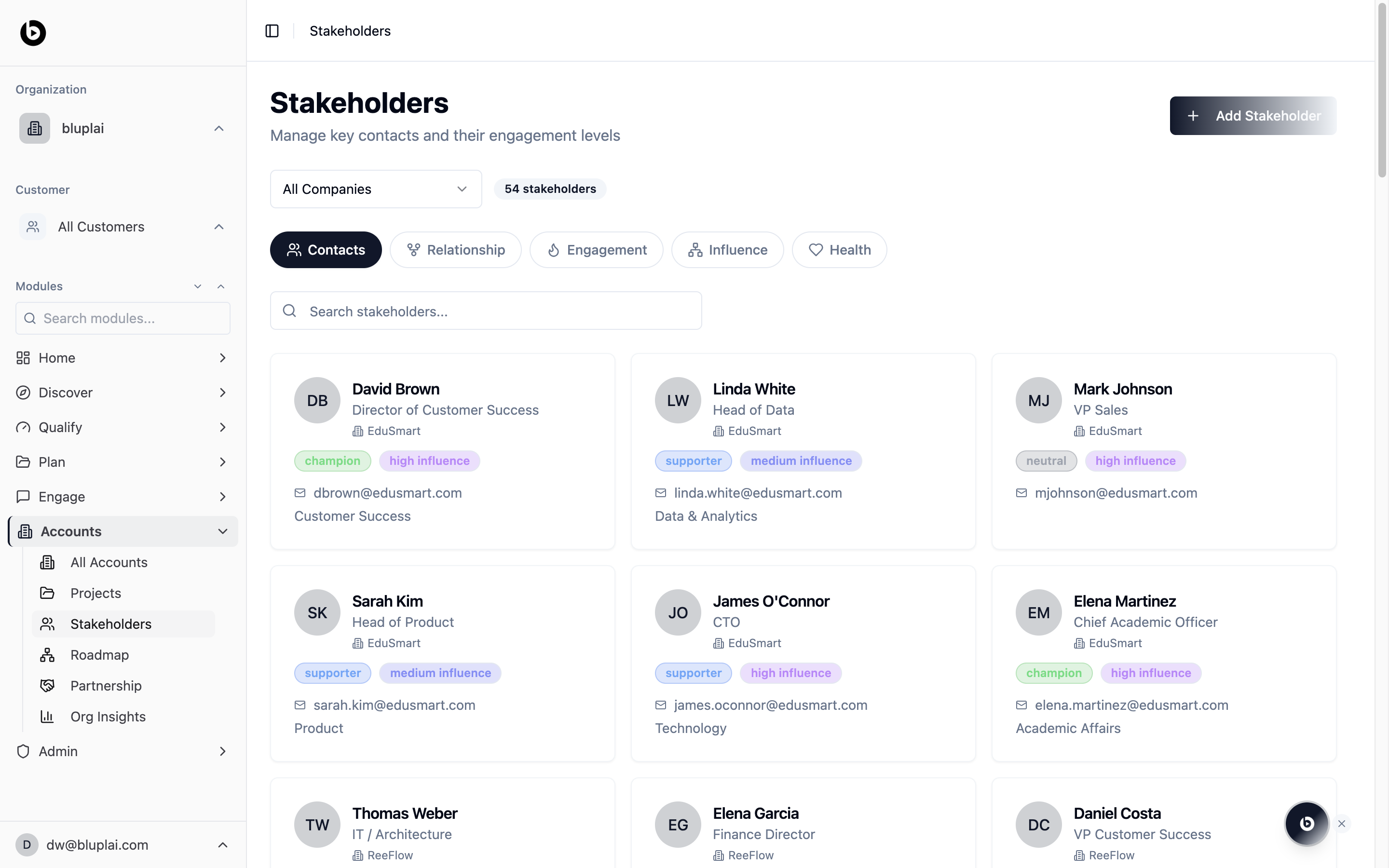
What you’ll see
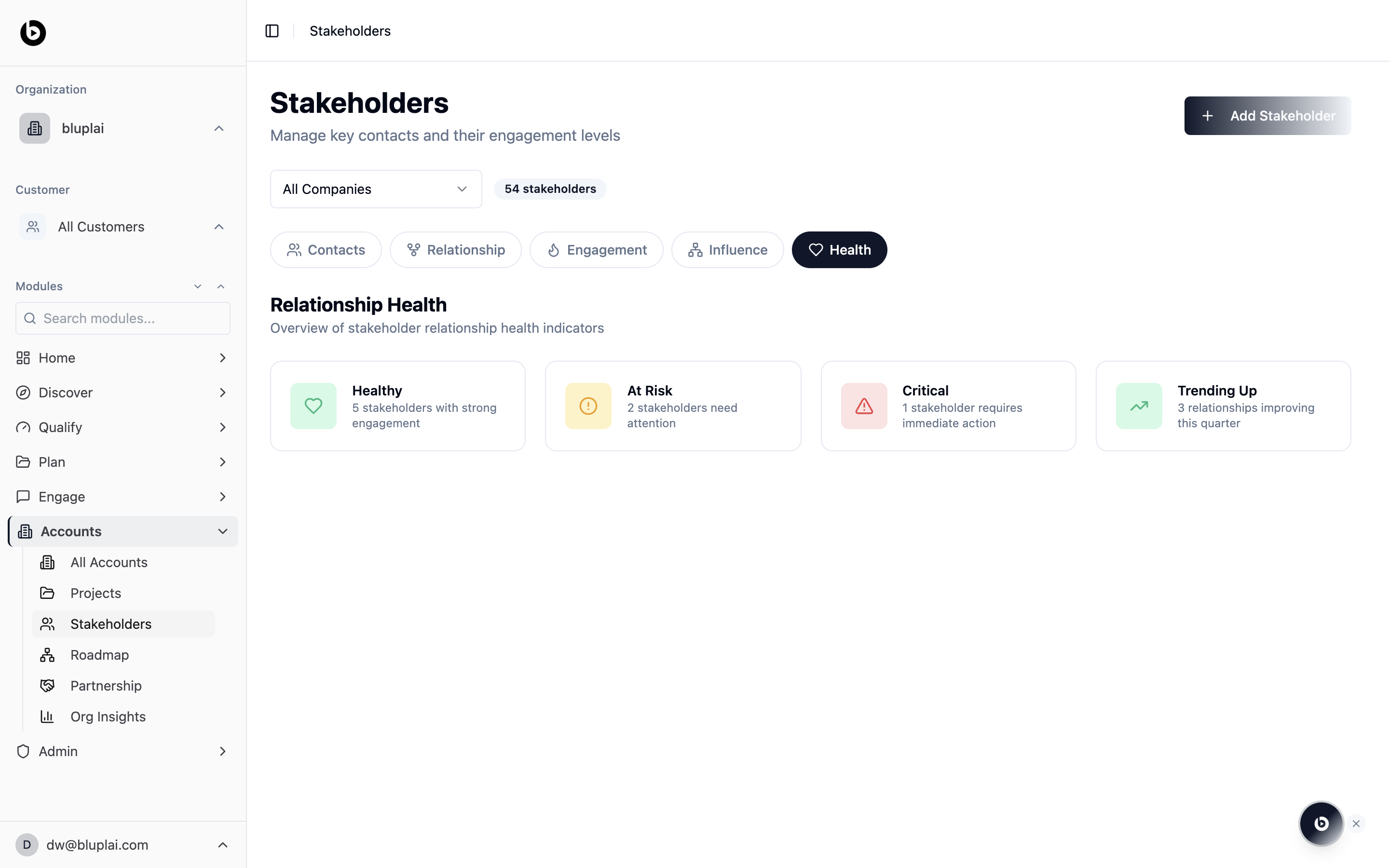
- A header titled Stakeholders with the subtitle “Manage key contacts and their engagement levels” and an Add Stakeholder button.
- A company filter dropdown on the left and a live stakeholder count on the right.
- A tab row with Contacts, Relationship, Engagement, Influence, and Health.
- A search input labelled “Search stakeholders…” above the card grid.
- Contact cards with initials avatar, full name, job title, linked company, relationship tag, influence tag, email, and function.
Tabs
Contacts
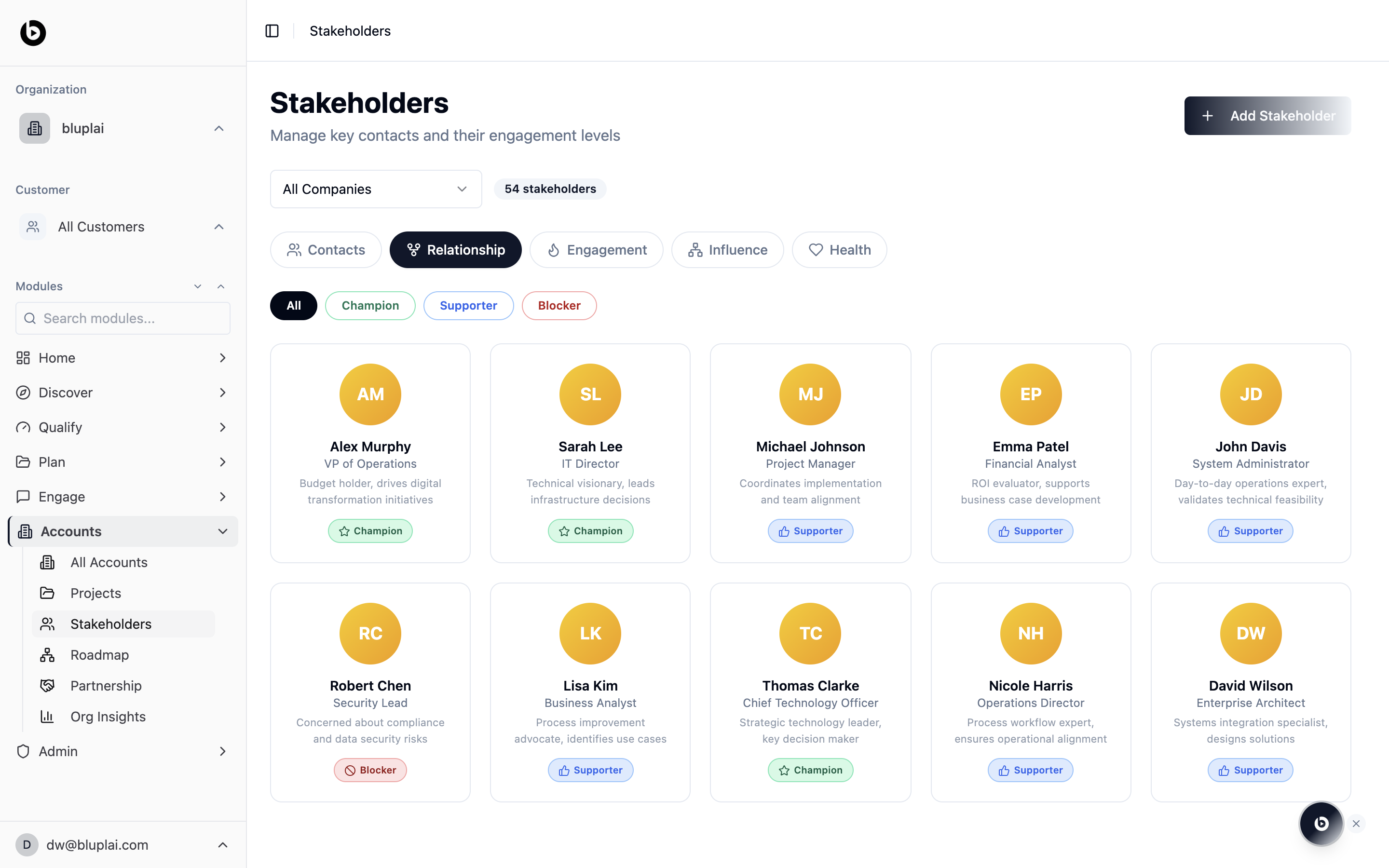
Relationship
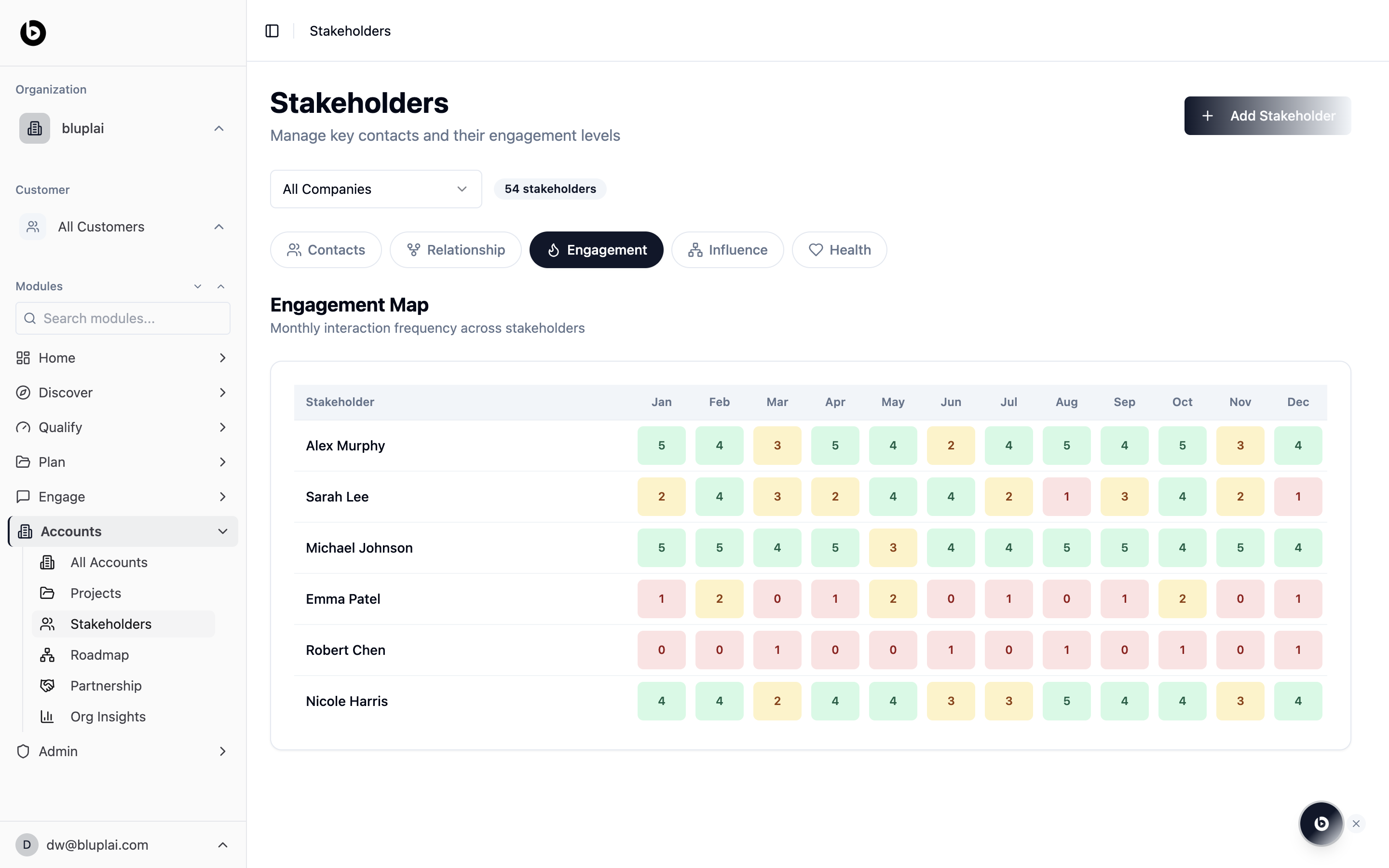
Engagement
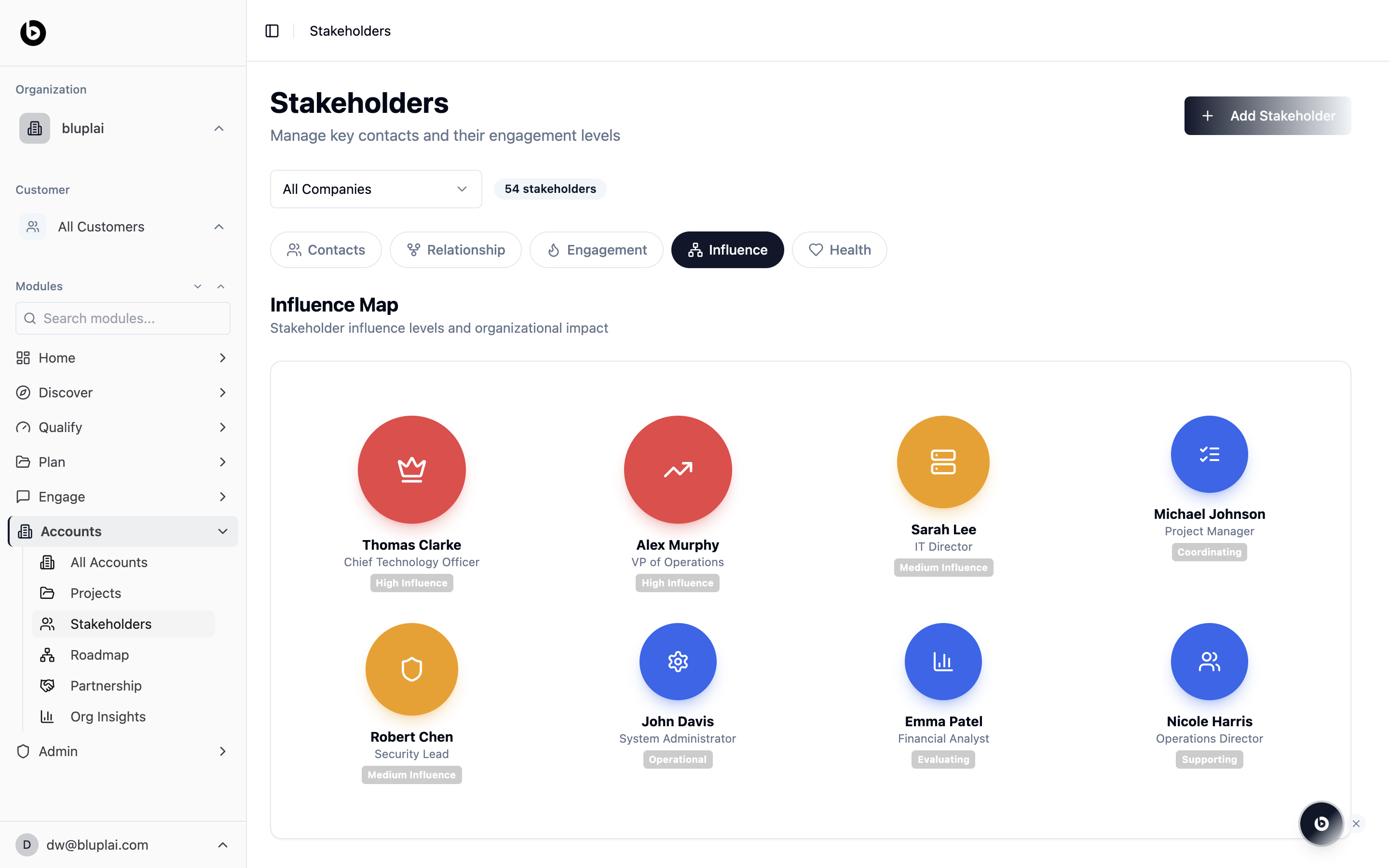
Influence
Health
Adding a stakeholder
Why you’d add one
A stakeholder is a person inside an account — their role, influence, and sentiment captured in one place. Adding one keeps context attached to the person rather than the inbox, and makes them available to link into initiatives, events, and the relationship map.How to add one
1
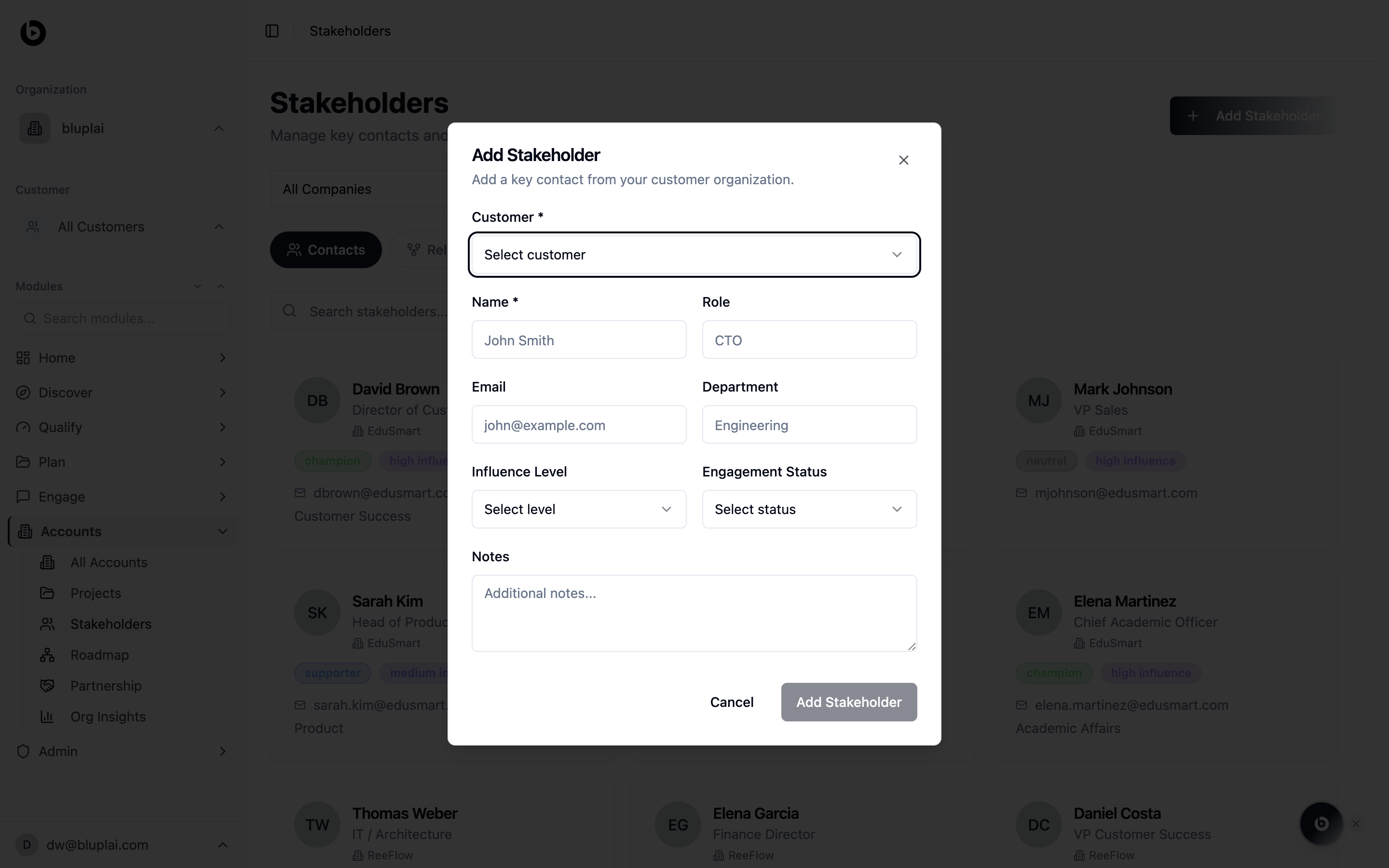
Open the dialog
From
/accounts/stakeholders, click Add Stakeholder in the top right.2
Fill in the details
- Account (required) — pick the account this person belongs to.
- Name (required) — their full name.
- Role — the job title you want to show on the contact card.
- Email — their work email address.
- Department — the function they sit in (e.g. Engineering, Sales).
- Influence Level — how much organisational weight they carry; feeds the Influence view.
- Engagement Status — where the relationship currently stands; feeds the Engagement and Health views.
- Notes — free-text context for anyone else picking up the account.
3
Save
Click Add Stakeholder. The new contact appears in the directory grid.
What happens after
Once added, the stakeholder is available across the Relationship, Engagement, Influence, and Health tabs, and can be linked into roadmap items, initiatives, and events tied to their account.Next
Roadmap
Plot these stakeholders on the relationship map.
All accounts
Return to the account portfolio for these contacts.