

Why you’re here
This is the relationship map — how stakeholders connect, what opportunities are active, where you’re strong, and where you’re exposed. Open it when you’re planning account strategy, sequencing a transformation program, or onboarding a partner who needs to see the shape of the engagement without reading a deck.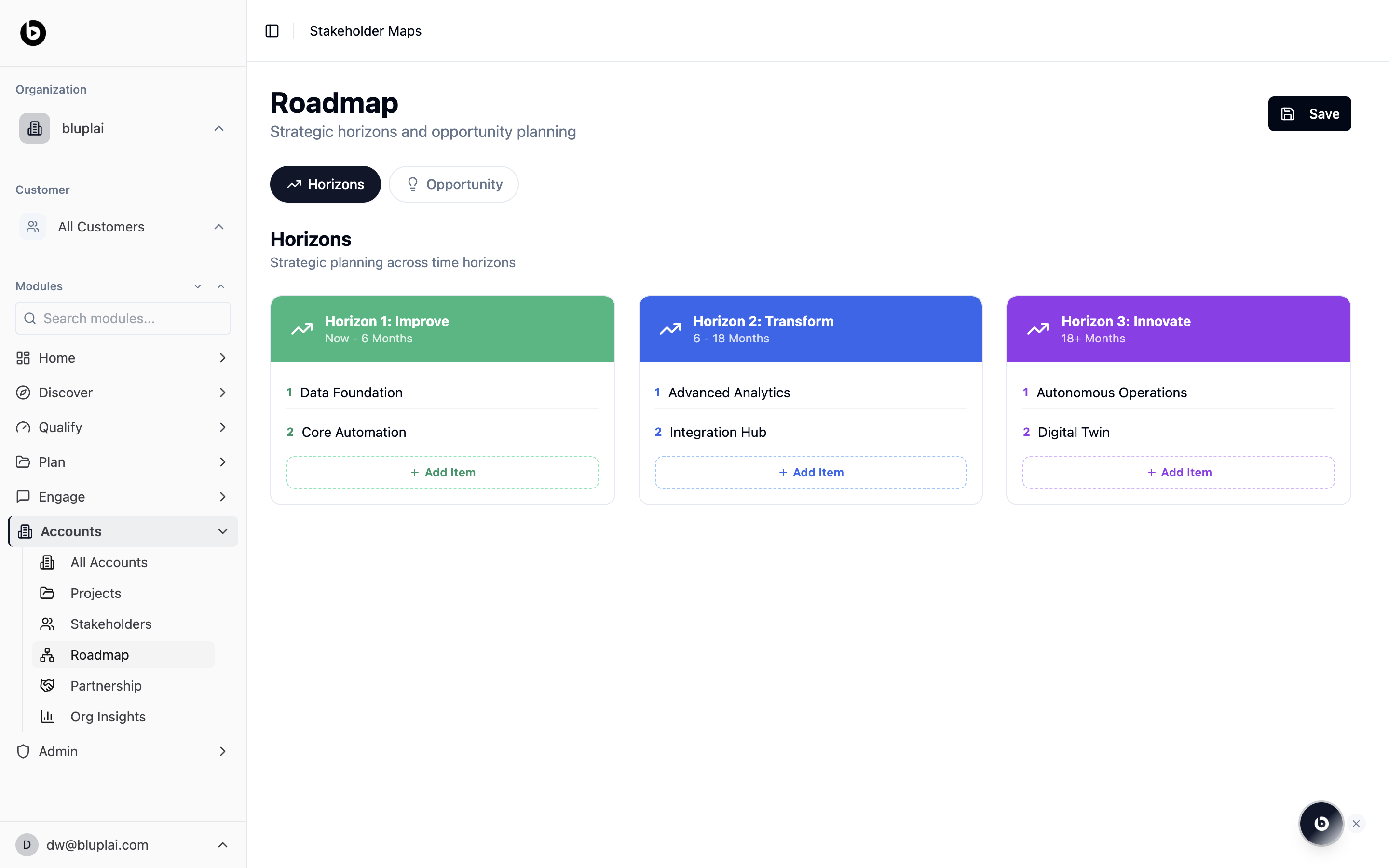
What it is
Roadmap is the strategic planning canvas for an account. It splits work into three time horizons, Improve (now to 6 months), Transform (6 to 18 months), and Innovate (18+ months), so you can line up short-term delivery against longer-term transformation bets. A second tab, Opportunity, switches the same canvas into opportunity planning mode.The Roadmap auto-populates from stakeholders, opportunities, and horizons you add elsewhere. Use the tabs to inspect the view — you don’t create roadmap items directly on this page.
When to use it
- Build the three-horizon narrative for a customer steering committee or executive readout.
- Capture near-term fixes under Improve while keeping longer bets visible under Transform and Innovate.
- Sequence workstreams by adding numbered items under each horizon.
- Swap to the Opportunity tab when you want to frame the same roadmap around business outcomes instead of time windows.
- Save the current state of the plan with the Save button once items are updated.
What you’ll see
- A header titled Roadmap with the subtitle “Strategic horizons and opportunity planning” and a Save button.
- A tab row with Horizons (selected) and Opportunity.
- A section titled Horizons with the subtitle “Strategic planning across time horizons”.
- Three colour-coded horizon columns side by side:
- Horizon 1: Improve, Now – 6 Months (green)
- Horizon 2: Transform, 6 – 18 Months (blue)
- Horizon 3: Innovate, 18+ Months (purple)
- Each column lists numbered items and an Add Item button to append more.
Next
Stakeholders
Match horizon owners to the people on the customer team.
Projects
Convert roadmap items into active engagement projects.