> ## Documentation Index
> Fetch the complete documentation index at: https://docs.bluplai.com/llms.txt
> Use this file to discover all available pages before exploring further.
# Investments
> Break down the cost side of the business case by year and category, so ROI isn't a black box.
 ## Why you're here
A business case isn't credible without the cost side. Investments is the sub-tab of Value where you itemise spend across the analysis period — software, services, internal effort, anything that lands in the denominator of ROI. Keeping it in the workspace means the customer sees exactly what was assumed, not a number that appeared in a slide.
## What you'll see
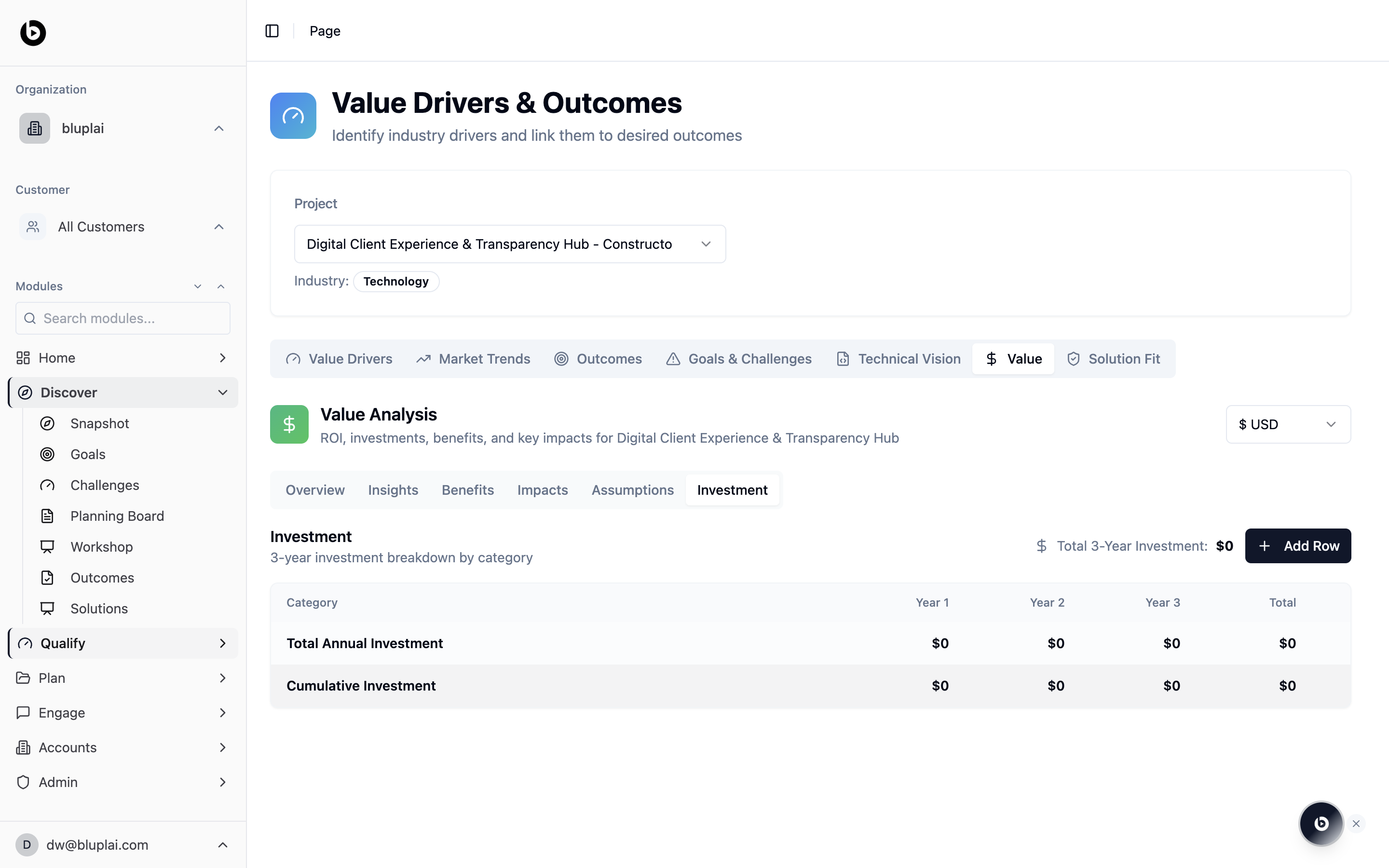
Investment is the **Investment** sub-tab inside the **Value** tab, alongside Overview, Insights, Benefits, Impacts, and Assumptions.
It opens on a **3-year investment breakdown by category** table:
* Columns: **Category**, **Year 1**, **Year 2**, **Year 3**, **Total**
* Default rows: **Total Annual Investment** and **Cumulative Investment**, each showing `$0` until data is added
* A **Total 3-Year Investment** summary in the top right (starts at `$0`)
* An **Add Row** button for extending the breakdown with new cost categories
Currency follows whatever you selected on the Value tab.
## When to use it
* Translating a proposal into the cost rows behind the ROI number
* Showing the customer a clean year-by-year view of spend
* Modelling scenarios — add rows, adjust years, watch cumulative update
* Aligning procurement and finance ahead of a commercial conversation
## Next
See how investments feed ROI, benefits, and impacts.
Validate the capability and adoption side of the case.
## Why you're here
A business case isn't credible without the cost side. Investments is the sub-tab of Value where you itemise spend across the analysis period — software, services, internal effort, anything that lands in the denominator of ROI. Keeping it in the workspace means the customer sees exactly what was assumed, not a number that appeared in a slide.
## What you'll see
Investment is the **Investment** sub-tab inside the **Value** tab, alongside Overview, Insights, Benefits, Impacts, and Assumptions.
It opens on a **3-year investment breakdown by category** table:
* Columns: **Category**, **Year 1**, **Year 2**, **Year 3**, **Total**
* Default rows: **Total Annual Investment** and **Cumulative Investment**, each showing `$0` until data is added
* A **Total 3-Year Investment** summary in the top right (starts at `$0`)
* An **Add Row** button for extending the breakdown with new cost categories
Currency follows whatever you selected on the Value tab.
## When to use it
* Translating a proposal into the cost rows behind the ROI number
* Showing the customer a clean year-by-year view of spend
* Modelling scenarios — add rows, adjust years, watch cumulative update
* Aligning procurement and finance ahead of a commercial conversation
## Next
See how investments feed ROI, benefits, and impacts.
Validate the capability and adoption side of the case.