> ## Documentation Index
> Fetch the complete documentation index at: https://docs.bluplai.com/llms.txt
> Use this file to discover all available pages before exploring further.
# Timeline
> View the customer success plan as a Gantt-style schedule of initiatives and actions across dates.
 ## Why you're here
The schedule view of the Customer Success Plan. Gantt-style with initiatives on the y-axis and dates across the top. Use it for status calls and QBRs when visualizing sequencing, overlaps, and dependencies matters more than a flat list.
## What it is
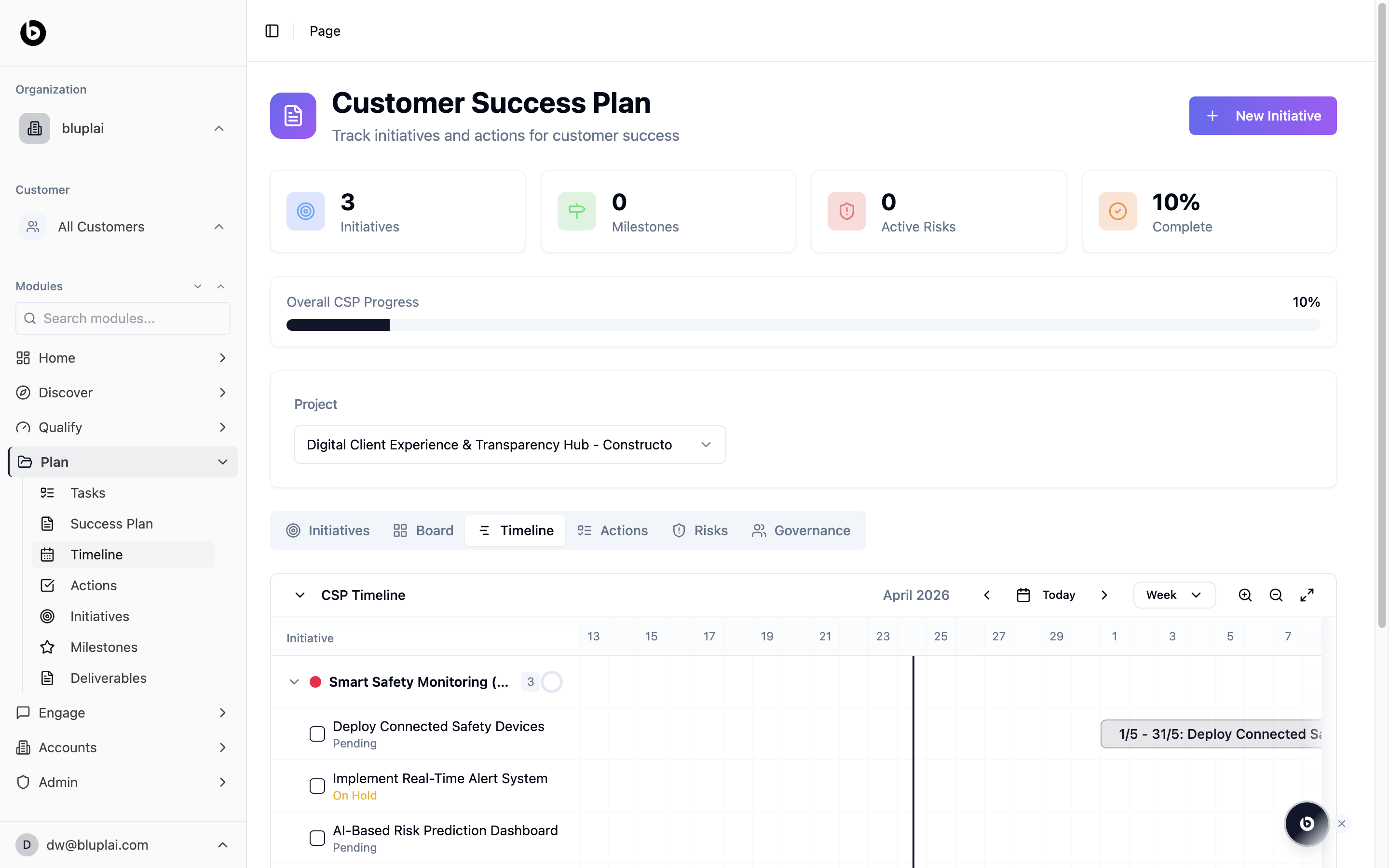
Timeline is the schedule view of the Customer Success Plan. It's a tab inside the CSP page at `/csp?tab=timeline`, sharing the same project selector and summary counters as the Success Plan. Initiatives appear as expandable parent rows; each action inside an initiative renders as a bar on the calendar grid so you can see sequencing and overlaps at a glance.
## When to use it
* Sanity-check dates before committing to a delivery plan.
* Spot conflicts when two actions run in the same week.
* Share a date-aligned view with the customer on a status call.
* Zoom from a week view into a specific date range.
## What you'll see
* The standard CSP header: summary counters, Overall CSP Progress bar, and Project selector.
* The CSP Timeline panel with a current-month label (for example, April 2026), navigation arrows, a Today button, and a Week view selector.
* Zoom controls and a full-screen toggle on the right.
* A left column listing each Initiative with a color dot and status; expanding an initiative reveals its actions with per-action status labels (for example, Pending, On Hold).
* A right-side calendar grid with date bars showing each action's start/end range and title.
## Next
Jump into the list of every action across initiatives.
Group the schedule back into workstreams.
## Why you're here
The schedule view of the Customer Success Plan. Gantt-style with initiatives on the y-axis and dates across the top. Use it for status calls and QBRs when visualizing sequencing, overlaps, and dependencies matters more than a flat list.
## What it is
Timeline is the schedule view of the Customer Success Plan. It's a tab inside the CSP page at `/csp?tab=timeline`, sharing the same project selector and summary counters as the Success Plan. Initiatives appear as expandable parent rows; each action inside an initiative renders as a bar on the calendar grid so you can see sequencing and overlaps at a glance.
## When to use it
* Sanity-check dates before committing to a delivery plan.
* Spot conflicts when two actions run in the same week.
* Share a date-aligned view with the customer on a status call.
* Zoom from a week view into a specific date range.
## What you'll see
* The standard CSP header: summary counters, Overall CSP Progress bar, and Project selector.
* The CSP Timeline panel with a current-month label (for example, April 2026), navigation arrows, a Today button, and a Week view selector.
* Zoom controls and a full-screen toggle on the right.
* A left column listing each Initiative with a color dot and status; expanding an initiative reveals its actions with per-action status labels (for example, Pending, On Hold).
* A right-side calendar grid with date bars showing each action's start/end range and title.
## Next
Jump into the list of every action across initiatives.
Group the schedule back into workstreams.