> ## Documentation Index
> Fetch the complete documentation index at: https://docs.bluplai.com/llms.txt
> Use this file to discover all available pages before exploring further.
# Actions
> See every action across all initiatives for a project in one flat, filterable list.
 ## Why you're here
Flat, cross-initiative action list — the unit of "what gets done next." Pull this up before a check-in when you need to see everything with owners, priorities, and dates, without hunting through initiative cards.
## What it is
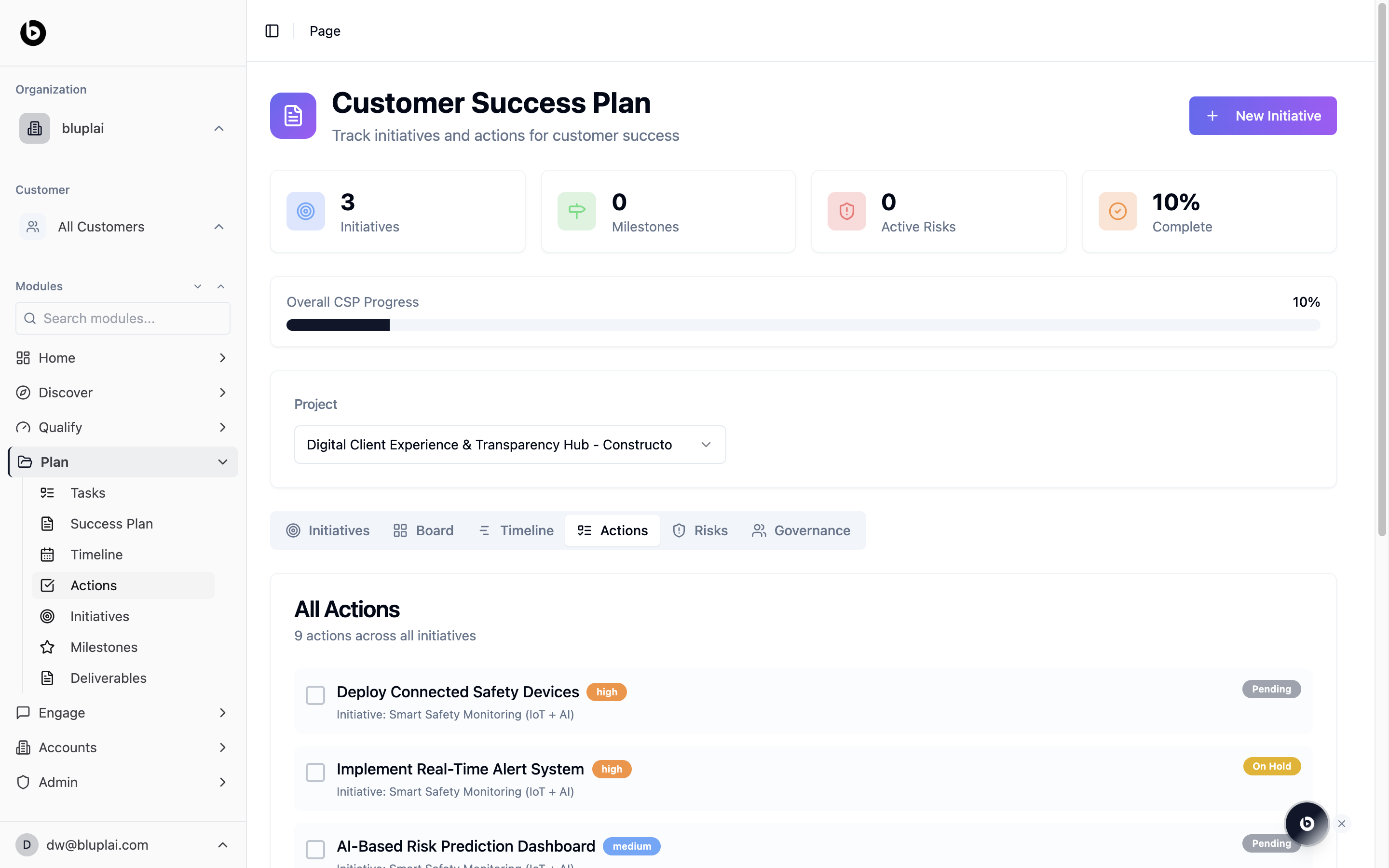
Actions is the flat execution list for a project's Customer Success Plan. It's a tab inside the CSP page at `/csp?tab=actions` and shows every action across every initiative for the selected project. Actions are the discrete steps that live inside initiatives — this view pulls them out of their parent cards so you can work the list end to end.
## When to use it
* Run an execution standup against a single scrollable list.
* Filter down to pending or on-hold items to unblock work.
* Confirm which initiative an action belongs to before updating it.
* Check coverage: how many total actions exist across the plan.
## What you'll see
* The shared CSP header: Initiatives, Milestones, Active Risks, and Complete counters, plus the Overall CSP Progress bar and Project selector.
* The tab bar with Actions selected.
* An All Actions panel with a count beneath the title (for example, "9 actions across all initiatives").
* Each row shows a checkbox, action title, priority pill (for example, high, medium), the parent Initiative name, and a status pill on the right (for example, Pending, On Hold).
Actions are added from inside an initiative — open an initiative from the Initiatives tab and use **+ Add Action**.
## Next
See the workstreams that group these actions.
Lay the same actions out on a calendar grid.
## Why you're here
Flat, cross-initiative action list — the unit of "what gets done next." Pull this up before a check-in when you need to see everything with owners, priorities, and dates, without hunting through initiative cards.
## What it is
Actions is the flat execution list for a project's Customer Success Plan. It's a tab inside the CSP page at `/csp?tab=actions` and shows every action across every initiative for the selected project. Actions are the discrete steps that live inside initiatives — this view pulls them out of their parent cards so you can work the list end to end.
## When to use it
* Run an execution standup against a single scrollable list.
* Filter down to pending or on-hold items to unblock work.
* Confirm which initiative an action belongs to before updating it.
* Check coverage: how many total actions exist across the plan.
## What you'll see
* The shared CSP header: Initiatives, Milestones, Active Risks, and Complete counters, plus the Overall CSP Progress bar and Project selector.
* The tab bar with Actions selected.
* An All Actions panel with a count beneath the title (for example, "9 actions across all initiatives").
* Each row shows a checkbox, action title, priority pill (for example, high, medium), the parent Initiative name, and a status pill on the right (for example, Pending, On Hold).
Actions are added from inside an initiative — open an initiative from the Initiatives tab and use **+ Add Action**.
## Next
See the workstreams that group these actions.
Lay the same actions out on a calendar grid.