> ## Documentation Index
> Fetch the complete documentation index at: https://docs.bluplai.com/llms.txt
> Use this file to discover all available pages before exploring further.
# Roadmap
> Plan strategic horizons and opportunities across Now, Transform, and Innovate time windows for an account.
## Why you're here
This is the relationship map — how stakeholders connect, what opportunities are active, where you're strong, and where you're exposed. Open it when you're planning account strategy, sequencing a transformation program, or onboarding a partner who needs to see the shape of the engagement without reading a deck.
 ## What it is
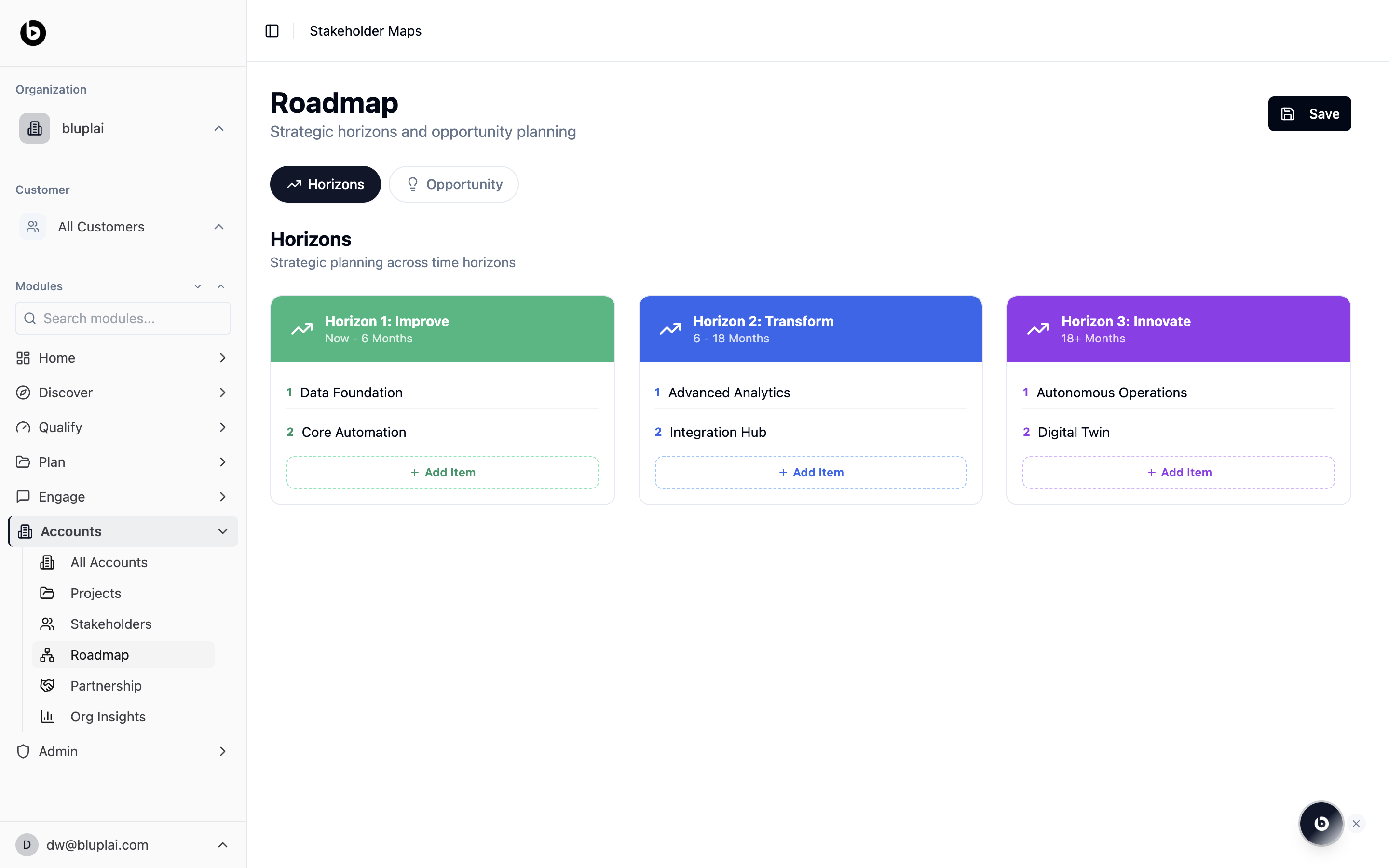
Roadmap is the strategic planning canvas for an account. It splits work into three time horizons, Improve (now to 6 months), Transform (6 to 18 months), and Innovate (18+ months), so you can line up short-term delivery against longer-term transformation bets. A second tab, Opportunity, switches the same canvas into opportunity planning mode.
The Roadmap auto-populates from stakeholders, opportunities, and horizons you add elsewhere. Use the tabs to inspect the view — you don't create roadmap items directly on this page.
## When to use it
* Build the three-horizon narrative for a customer steering committee or executive readout.
* Capture near-term fixes under Improve while keeping longer bets visible under Transform and Innovate.
* Sequence workstreams by adding numbered items under each horizon.
* Swap to the Opportunity tab when you want to frame the same roadmap around business outcomes instead of time windows.
* Save the current state of the plan with the Save button once items are updated.
## What you'll see
* A header titled Roadmap with the subtitle "Strategic horizons and opportunity planning" and a Save button.
* A tab row with Horizons (selected) and Opportunity.
* A section titled Horizons with the subtitle "Strategic planning across time horizons".
* Three colour-coded horizon columns side by side:
* Horizon 1: Improve, Now – 6 Months (green)
* Horizon 2: Transform, 6 – 18 Months (blue)
* Horizon 3: Innovate, 18+ Months (purple)
* Each column lists numbered items and an Add Item button to append more.
## Next
Match horizon owners to the people on the customer team.
Convert roadmap items into active engagement projects.
## What it is
Roadmap is the strategic planning canvas for an account. It splits work into three time horizons, Improve (now to 6 months), Transform (6 to 18 months), and Innovate (18+ months), so you can line up short-term delivery against longer-term transformation bets. A second tab, Opportunity, switches the same canvas into opportunity planning mode.
The Roadmap auto-populates from stakeholders, opportunities, and horizons you add elsewhere. Use the tabs to inspect the view — you don't create roadmap items directly on this page.
## When to use it
* Build the three-horizon narrative for a customer steering committee or executive readout.
* Capture near-term fixes under Improve while keeping longer bets visible under Transform and Innovate.
* Sequence workstreams by adding numbered items under each horizon.
* Swap to the Opportunity tab when you want to frame the same roadmap around business outcomes instead of time windows.
* Save the current state of the plan with the Save button once items are updated.
## What you'll see
* A header titled Roadmap with the subtitle "Strategic horizons and opportunity planning" and a Save button.
* A tab row with Horizons (selected) and Opportunity.
* A section titled Horizons with the subtitle "Strategic planning across time horizons".
* Three colour-coded horizon columns side by side:
* Horizon 1: Improve, Now – 6 Months (green)
* Horizon 2: Transform, 6 – 18 Months (blue)
* Horizon 3: Innovate, 18+ Months (purple)
* Each column lists numbered items and an Add Item button to append more.
## Next
Match horizon owners to the people on the customer team.
Convert roadmap items into active engagement projects.